
Expenses & POs
Know what a purchase does before you save it.
Purchase order and expense tracking software for agencies. See the PO balance while you fill in the form, track project expenses with markup and billable value on every line, and bill them from the invoice worksheet.
Pick a question. See where Frankly answers it.
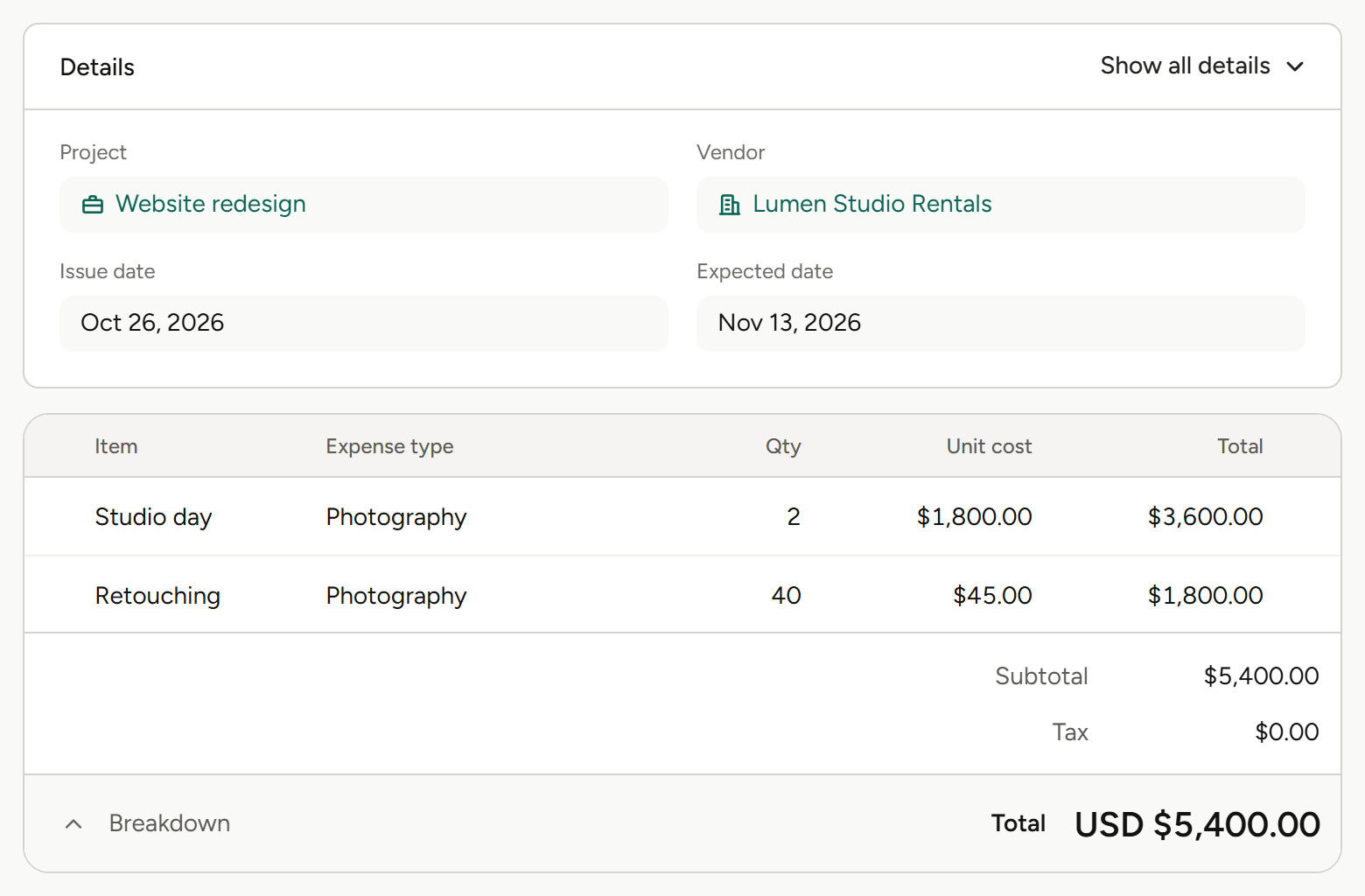
Two expenses are already booked against this PO. The new balance shows while you fill in the form, before you save.
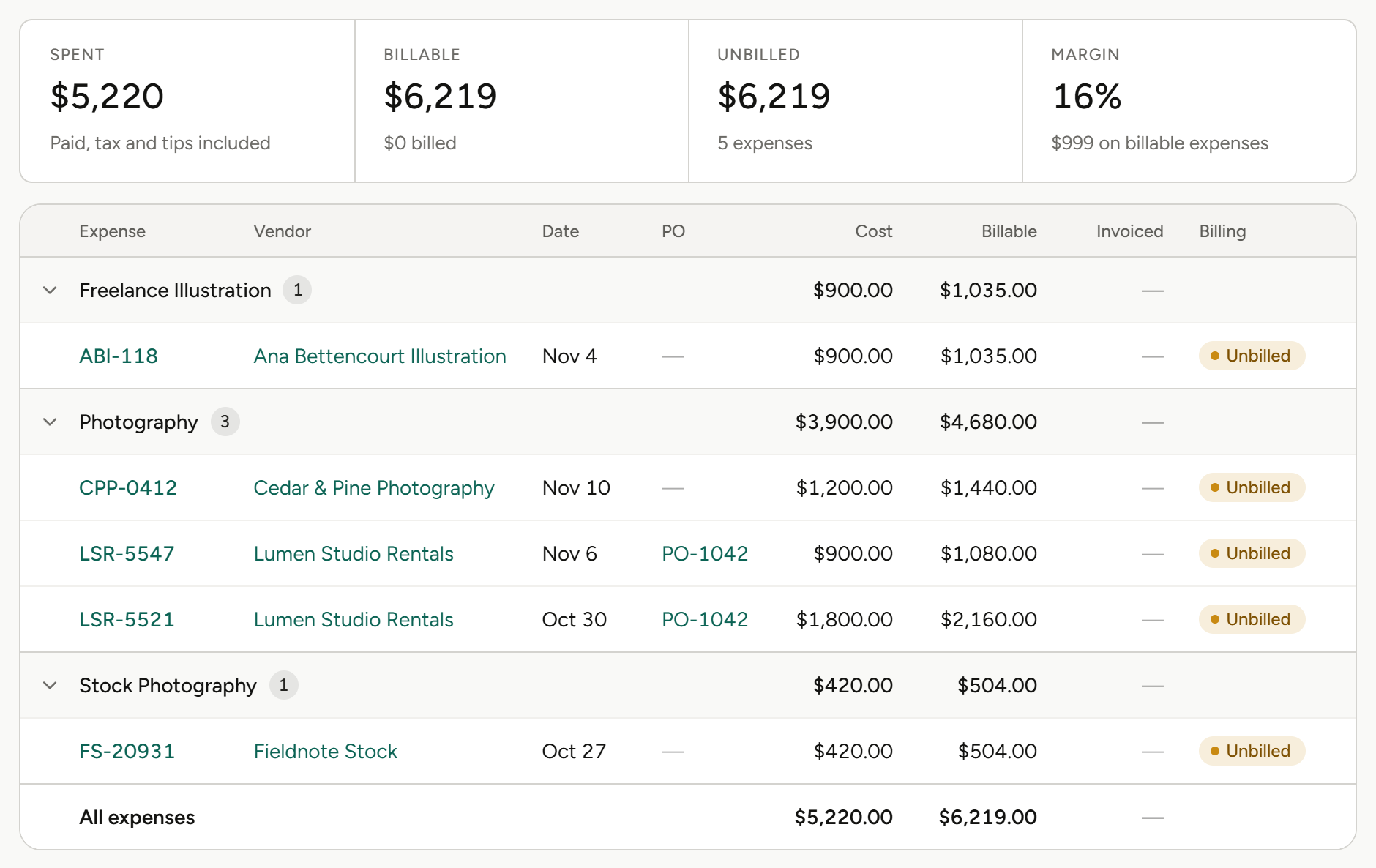
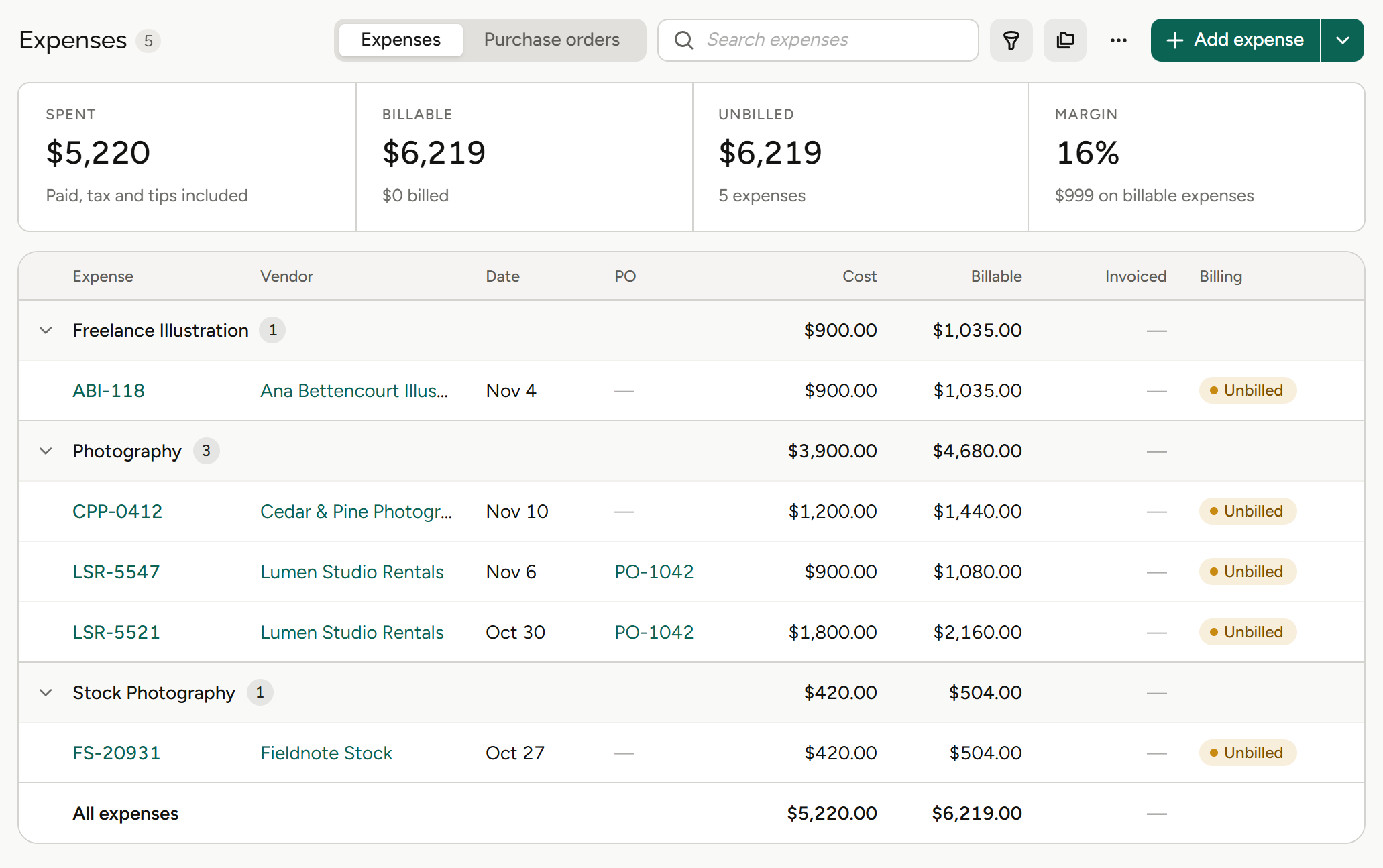
Every line carries its markup and billable value.
Unbilled expenses have their own section on the invoice worksheet.
Three things every purchase needs.
See the balance first
Choose a PO and see what the expense does to it before you save.
Mark it up
Markup and billable value on every line of a PO.
Bill it back
Unbilled expenses sit on the invoice worksheet, ready for the next invoice.
From purchase order to invoice.
01
Raise the purchase order
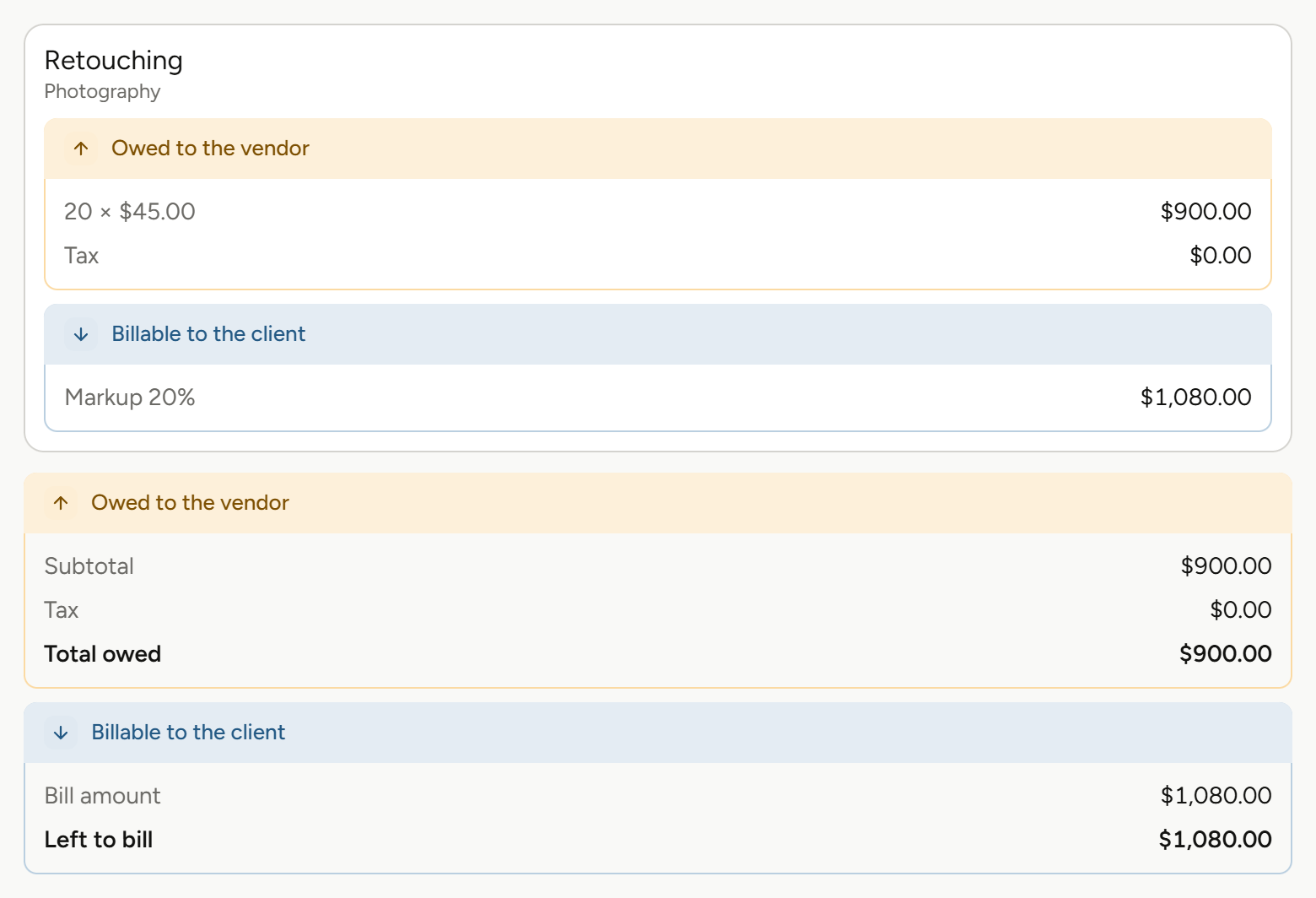
Add a purchase order with as many lines as the job needs, each with its markup and billable value.
Multi-line purchase orders, markup, billable value per line.
02
Book expenses against it
Choose the PO when you log an expense, and the form shows its quoted cost, current balance, the expenses already booked against it and the new balance, all before you save.
Running PO balance, expenses already booked, project expense tracking.
03
Bill it on the next invoice
Unbilled expenses get their own section on the invoice worksheet, so costs you’ve marked up make it onto the client’s invoice.
Unbilled expenses on the invoice worksheet.
More on invoicing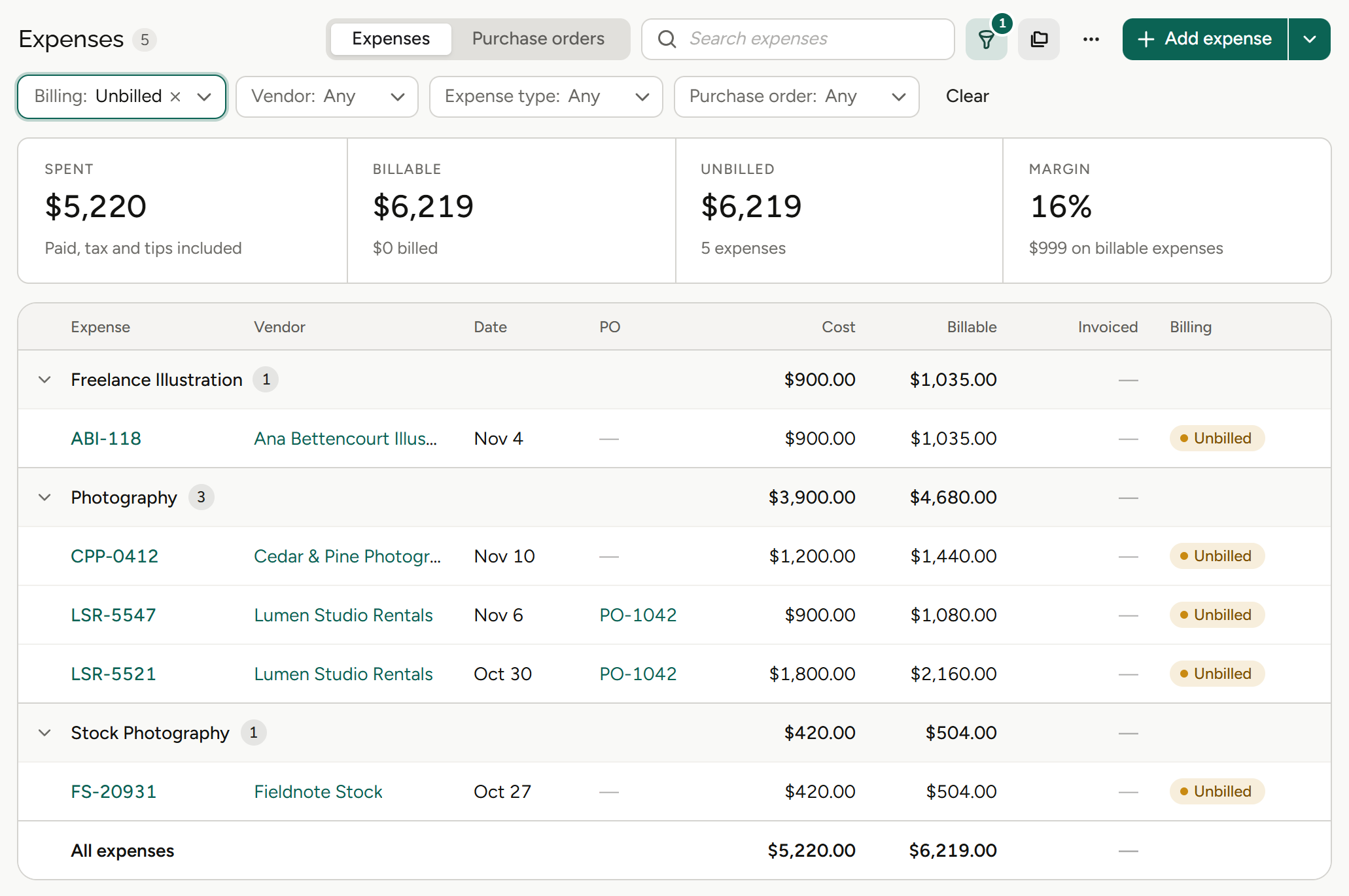
What expenses and POs mean for your role.
Same costs, different questions. Pick yours.
Agency owners
“Are outside costs eating the margin?”
Owners see what each purchase does to its PO and what it bills back to the client.
Profit by project
See which projects, and which months, made money.
Markup on every line
Know what each cost bills back.
PO balance up front
See the balance before anyone commits.
Balances on the client
Invoiced, settled and balance due on every client record.
Finance and operations
“Is every cost against a PO?”
Finance teams see quoted cost, booked expenses and what’s left on every purchase order.
Multi-line POs
As many lines as the job needs.
Running balance
Quoted cost, current balance and new balance.
Expenses already booked
Listed on the PO as you log a new one.
Unbilled expenses
See what’s waiting to be billed.
Account leads
“What can I bill back to this client?”
Account leads see the billable value of every expense and bill it from the worksheet.
Billable value
Per line, with markup applied.
Markup
Set on each line of a PO.
Unbilled expenses
Their own section on the worksheet.
The invoice worksheet
Every line’s estimate against its actuals.
Project and traffic managers
“Will this purchase go over?”
Project managers see what a purchase does to the PO before saving it, from the job they already run.
PO balance up front
See the new balance before you save.
Expenses on the project
Costs land on the job as they’re logged.
Already booked
What’s been spent against the PO so far.
Estimate against actuals
Track the job against its estimate.
Agents
Agents do the legwork. You make the call.
Frankly’s agents work inside the system and inside your permissions. They propose; you accept.
More on agentsProposes, then waits
An agent suggests the change. Nothing happens until you accept it.
Sees only what you see
Agents inherit your permissions. No elevated access, ever.
Works where the money is
Agents work with your projects, estimates and finances, all within each user’s permissions.
Also in Expenses & POs.
Outside costs, tracked from purchase to invoice.
Purchase orders
Quoted cost, current balance and new balance.
Multi-line POs
As many lines as the job needs.
Markup per line
Set on each line of a PO.
Billable value
Shown on every line.
Running PO balance
Visible while you fill in the form.
Expenses already booked
Listed against the PO.
Project expense tracking
Costs land on the project as they’re logged.
Unbilled expenses
Their own section on the invoice worksheet.
Receipt capture
Capture a receipt and Frankly reads it automatically.
Bills and vendor credits
Record an expense as a bill or a vendor credit.
The rest of Frankly.
Spend it knowing. Bill it back.
See purchase orders and expenses on real agency numbers in a walkthrough.