
Invoicing
See every line before you send the invoice.
Agency invoicing software with a worksheet that shows every line’s estimate against its actuals, bills one project, many projects or a retainer, and syncs invoices and payments with QuickBooks Online.
Pick a question. See where Frankly answers it.
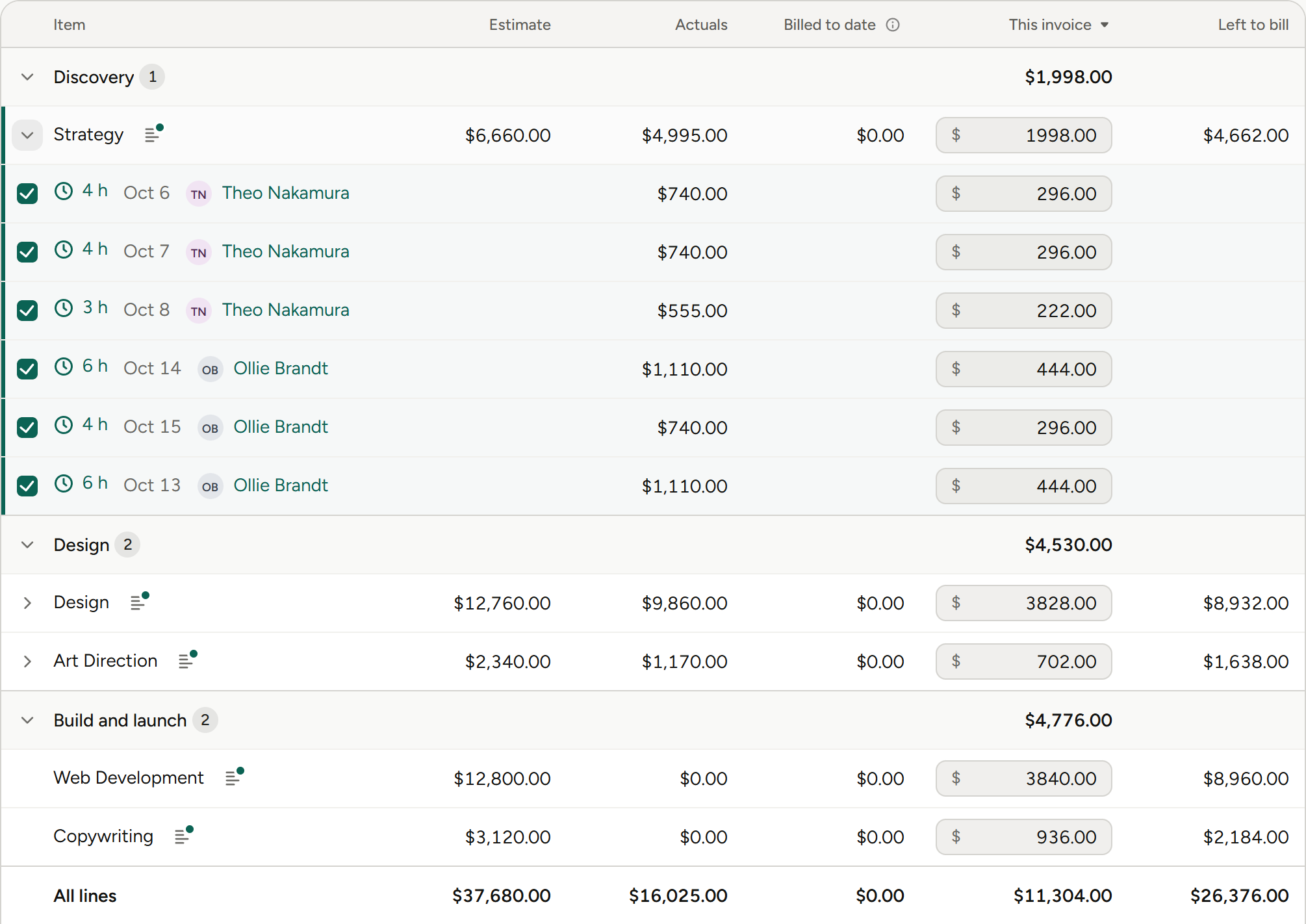
Every amount is editable before you commit. Unapproved time isn’t counted.
November billing
Bulk invoicing
Bill many projects in one pass.
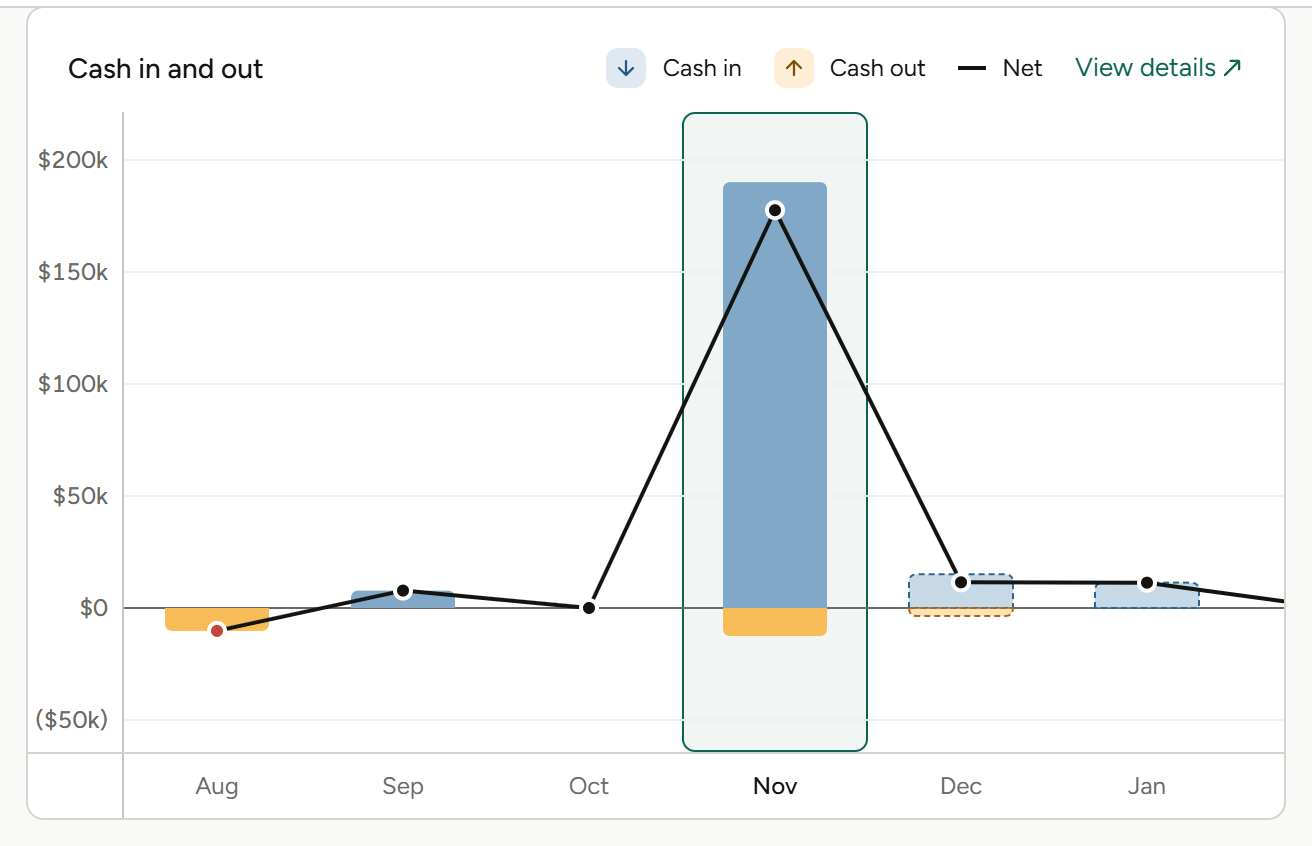
Billing schedules feed the forecast, so it updates as the plan does.
Three things your invoices should get right.
Bill what was done
Every line shows its estimate, actuals, what’s already invoiced and this invoice, before you commit an amount.
Bill everything in one pass
Bulk, multi-project and campaign invoicing for the end of the month.
Keep the books in step
Invoices and payments sync with QuickBooks Online, and clients can pay online with Stripe or Payroc.
From worksheet to paid.
01
Build the invoice from the worksheet
The worksheet lists every line with its estimated, actual, remaining, already-invoiced and this-invoice amounts, each one editable. Unbilled expenses have their own section, and unapproved time isn’t counted.
Invoice worksheet, unbilled expenses, estimate against actuals per line.
02
Bill the way each client buys
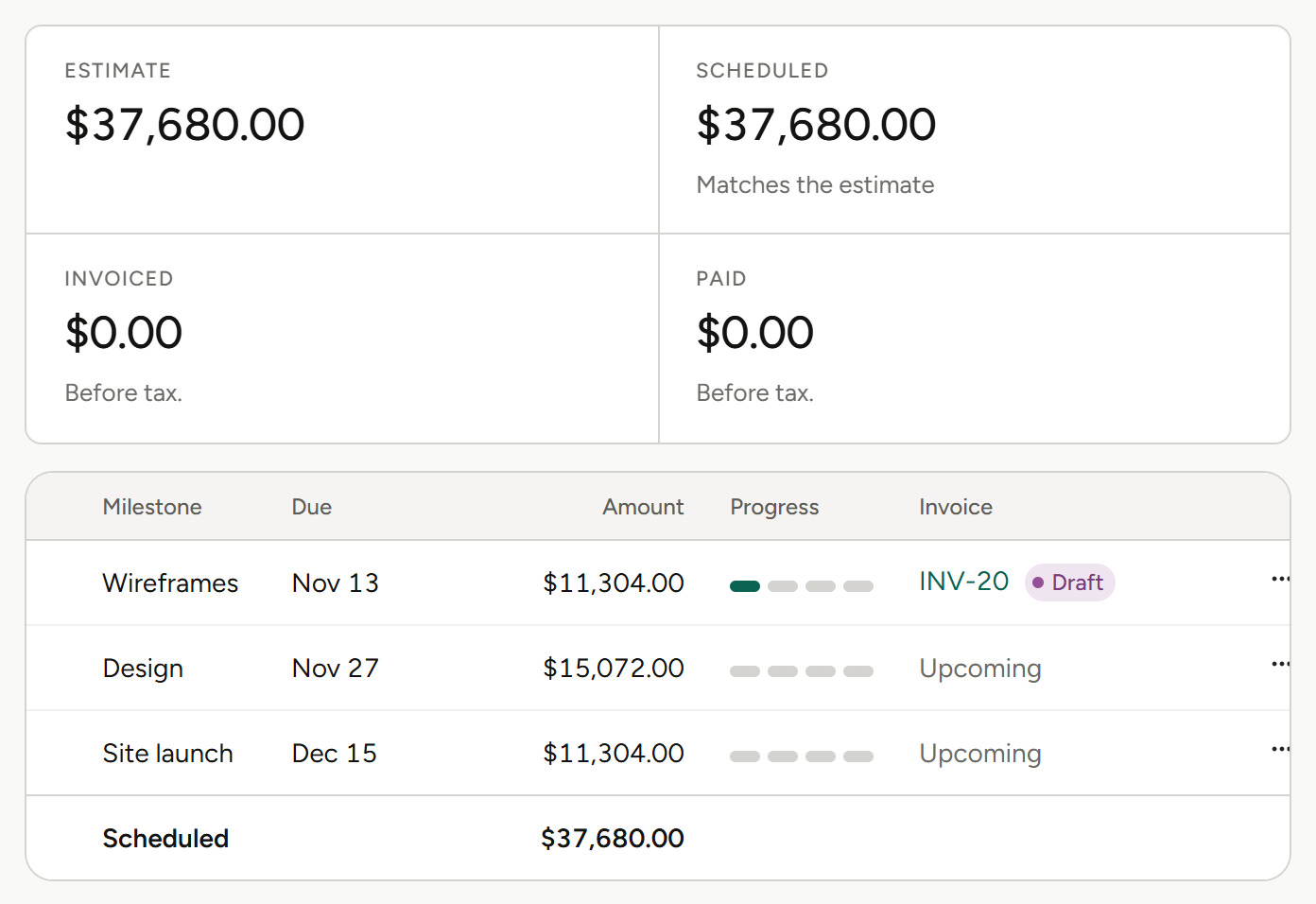
Invoice one project, several projects at once, a whole campaign or a retainer. Bill a deposit up front, and set billing schedules for when each project bills.
Bulk, multi-project, campaign and retainer invoicing, deposits, billing schedules.
03
Approve, send and get paid
Invoices go through an approval workflow, then go out by email from Frankly. Clients can pay online with Stripe or Payroc. Invoices and payments sync to QuickBooks Online, and payments recorded there flow back. Billing schedules feed a cash flow forecast of what’s coming in.
Invoice approvals, email from Frankly, online payments, QuickBooks Online, cash flow forecast.
More on Financials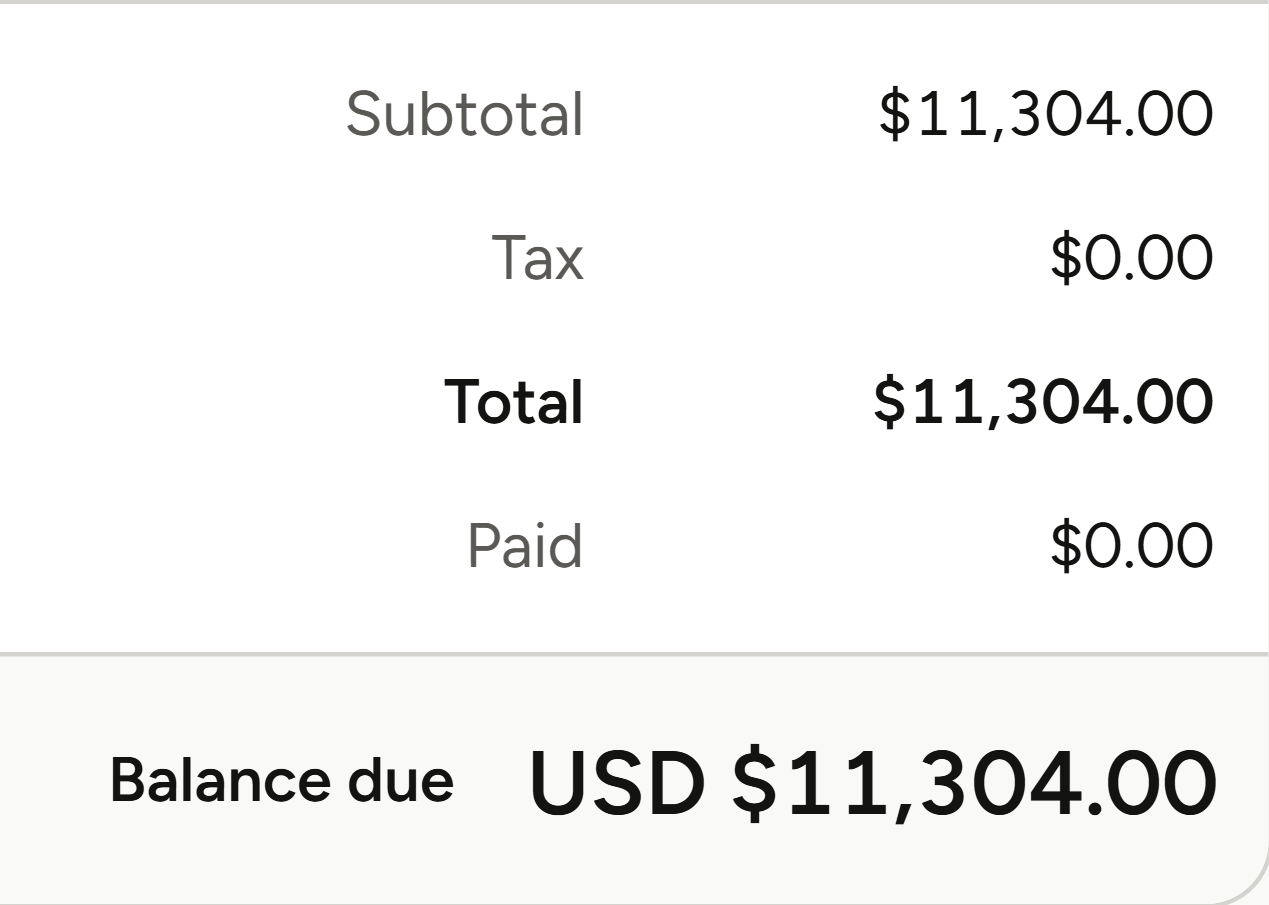
What invoicing means for your role.
Same invoices, different questions. Pick yours.
Agency owners
“When is the cash coming in?”
Owners see what’s coming in from billing schedules and what each client owes, without waiting for month-end.
Cash flow forecast
Built from your billing schedules.
Balances on the client
Invoiced, settled and balance due on every client record.
Profit by project
See which projects, and which months, made money.
Invoice approvals
Invoices are approved before they go out.
Finance and operations
“Can month-end stop being a scavenger hunt?”
Finance teams get invoices, payments and the books on one track, without re-keying anything.
Bulk invoicing
Bill many projects in one pass.
QuickBooks Online sync
Payments flow back from QuickBooks.
Approval workflow
Invoices are reviewed before they’re sent.
Payments and credit memos
They sit beside invoices in the same module.
Account leads
“What can I bill this client right now?”
Account leads see what’s billable line by line and can invoice the way each client buys.
The invoice worksheet
Every line’s estimate against its actuals before you commit.
Deposits
Bill part of the work up front.
Retainers
Monthly or quarterly, billed in advance or in arrears.
Campaign invoicing
Invoice a campaign, or several projects at once.
Project and traffic managers
“Has this work been billed yet?”
Project managers see what’s already invoiced and what’s left on every line of the job.
Already invoiced
Per line, next to the estimate and actuals.
Remaining from estimate
What’s still to bill on each line.
Unbilled expenses
Their own section on the worksheet.
Approved time only
Unapproved time isn’t counted.
Agents
Agents do the legwork. You make the call.
Frankly’s agents work inside the system and inside your permissions. They propose; you accept.
More on agentsProposes, then waits
An agent suggests the change. Nothing happens until you accept it.
Sees only what you see
Agents inherit your permissions. No elevated access, ever.
Works where the money is
Agents work with your projects, estimates and finances, all within each user’s permissions.
Also in Invoicing.
Every way agencies bill, in one place.
Invoice worksheet
Every line’s estimate against its actuals.
Bulk invoicing
Bill many projects in one pass.
Multi-project invoices
One invoice across several projects.
Campaign invoicing
Invoice a whole campaign.
Retainer invoicing
Monthly or quarterly retainers with a fee per period, billed in advance or in arrears, with burn alerts.
Deposits
Bill part of the work up front.
Billing schedules
Plan when each project bills.
Cash flow forecast
What’s coming in, from your billing schedules.
Invoice approvals
An approval workflow before invoices go out.
Email from Frankly
Send invoices without leaving the app.
Online payments
Clients pay online through Stripe or Payroc.
QuickBooks Online
Invoices, payments and bills sync, and payments flow back.
The rest of Frankly.
Bill what was done. See what’s coming in.
See invoicing on real agency numbers in a walkthrough.