
Financials
Know what the work earned before you bill it.
Agency financial management on one set of numbers: estimates, purchase orders, expenses and invoices. The margin you priced is the margin you can check, line by line, while the work is still happening.
Pick a question. See where Frankly answers it.
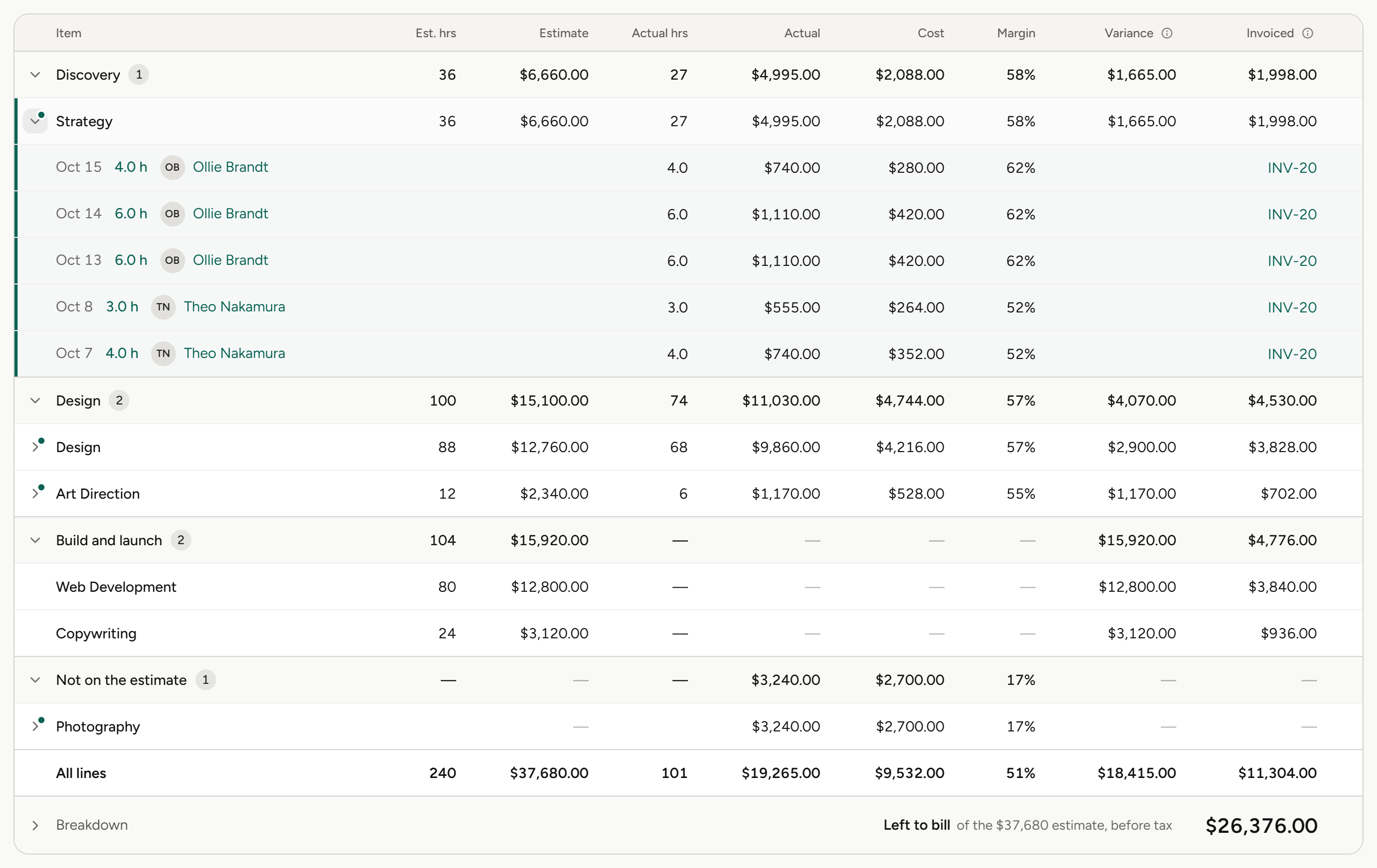
Discovery ran $400 over. Design and Build have $17,150 left between them.
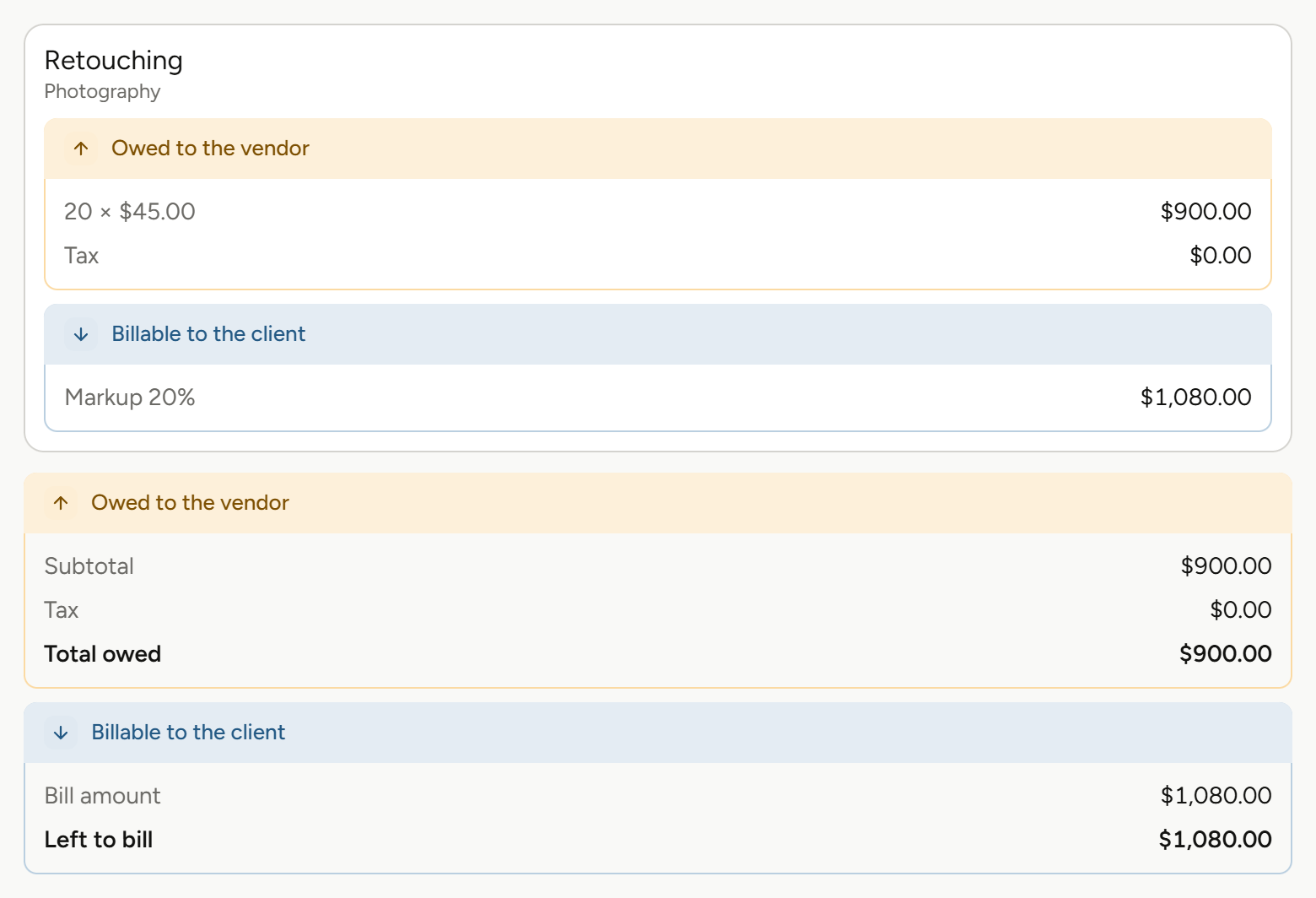
Two expenses are already booked against this PO. The new balance shows while you fill in the form, before you save.
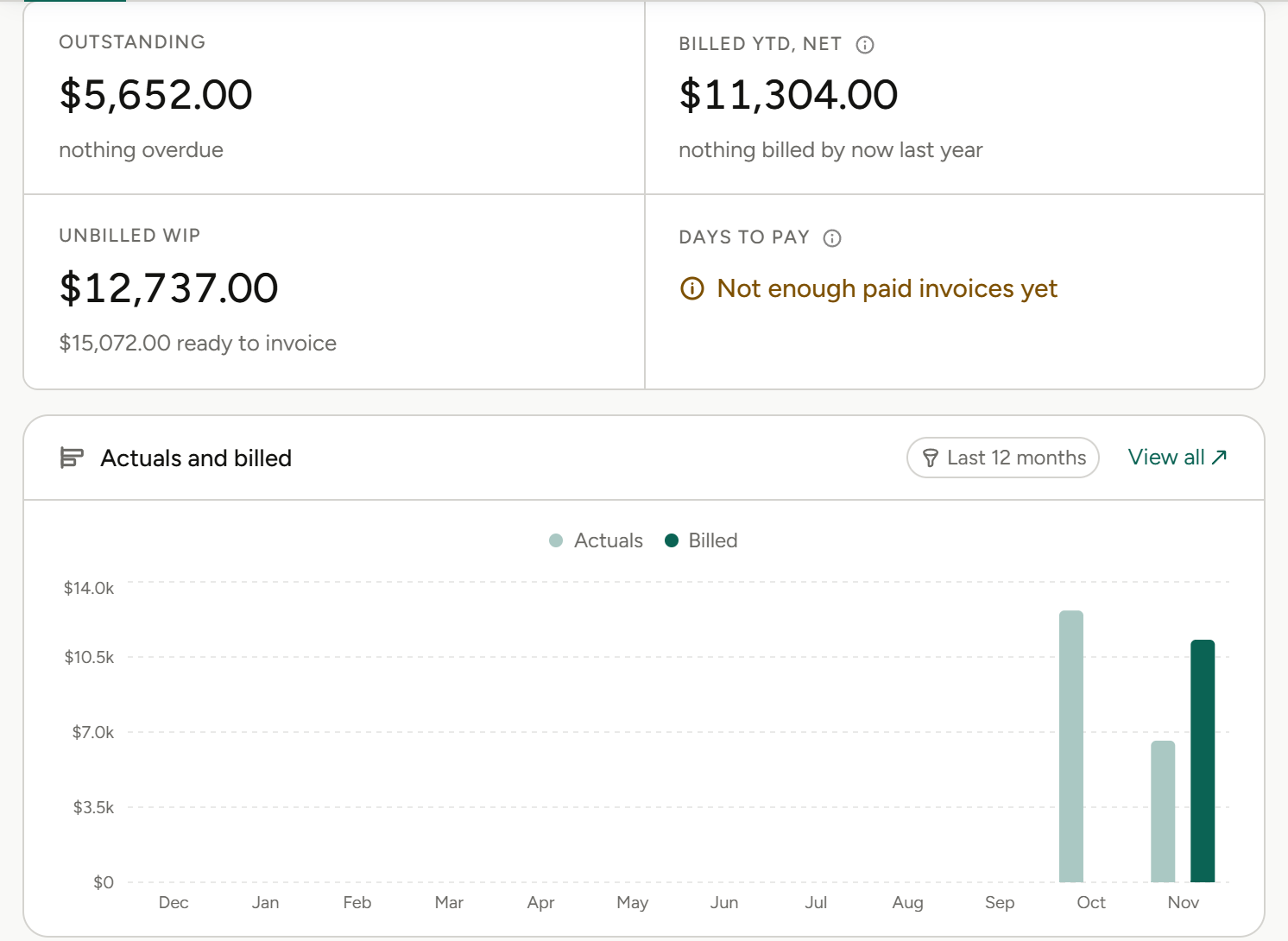
Across every project billed to this client, on the client itself. No report to run.
Three questions every agency asks. Answered where the work is.
Did we price it right?
Name the margin you want on an estimate and Frankly shows the revenue it takes to get there.
What’s left to bill?
Every line shows its estimate against its actuals, so you see what’s billable before you commit to an amount.
Who still owes us?
Invoiced, settled and balance due sit on the client record, across every project and invoice.
From first estimate to final payment.
01
Estimate and price
Build estimates from your service catalogue and rate cards, or price on what the outcome is worth to the client. Set a target margin and see the revenue it needs. Start from the schedule, or build the schedule from the estimate.
Service catalogue, estimate templates, rate cards, value-based pricing, target margin, estimate approvals, multi-currency.
More on estimates and pricing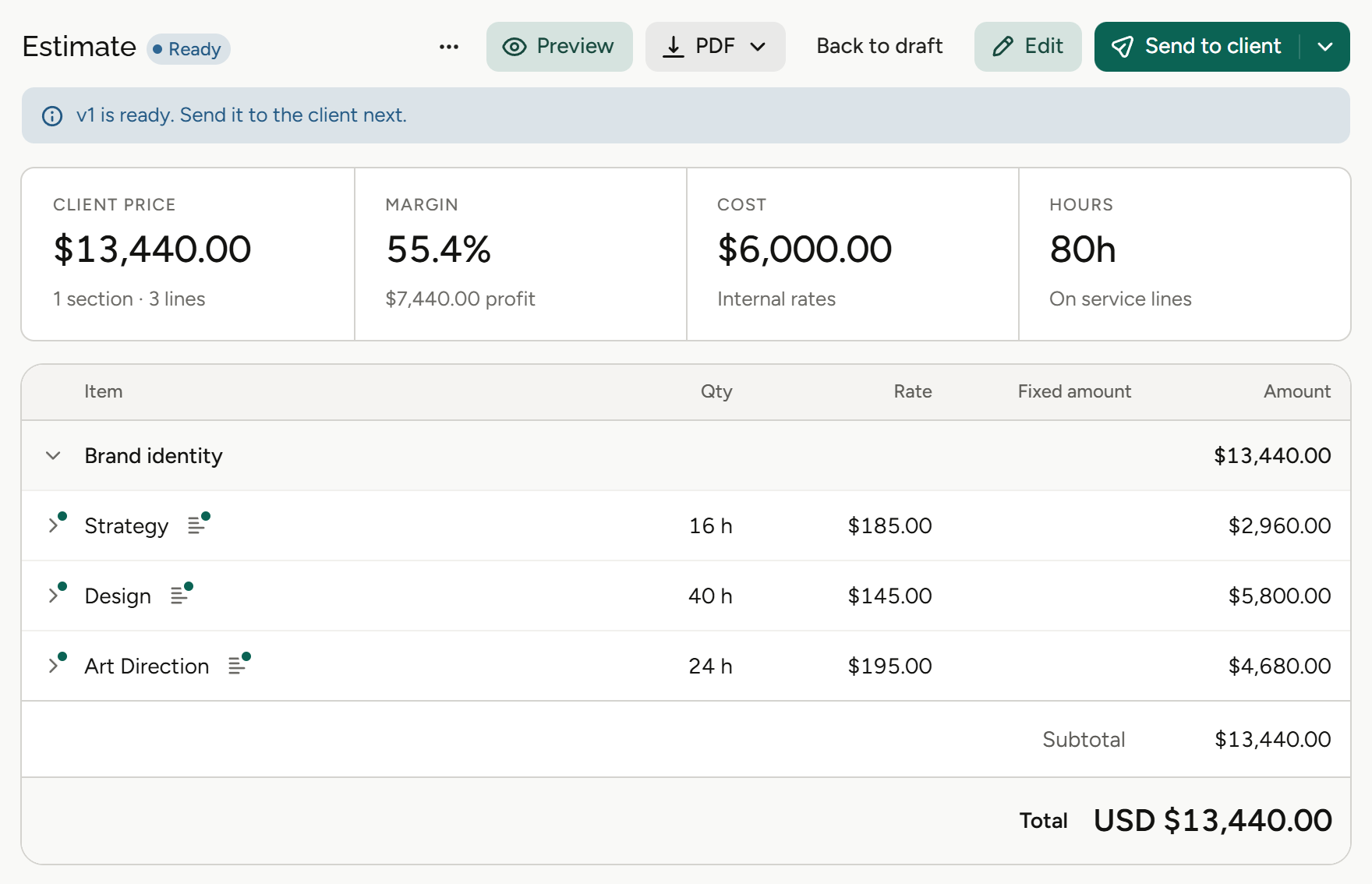
02
Track estimate against actuals and see your margin
Time and expenses land on the project as they happen, so the estimate and the actuals sit side by side. See profit by project and by period, and raise a purchase order knowing what it does to the balance before you save it.
Estimate against actuals per line, profit by project and by period, purchase orders, project expense tracking.
More on expenses and POs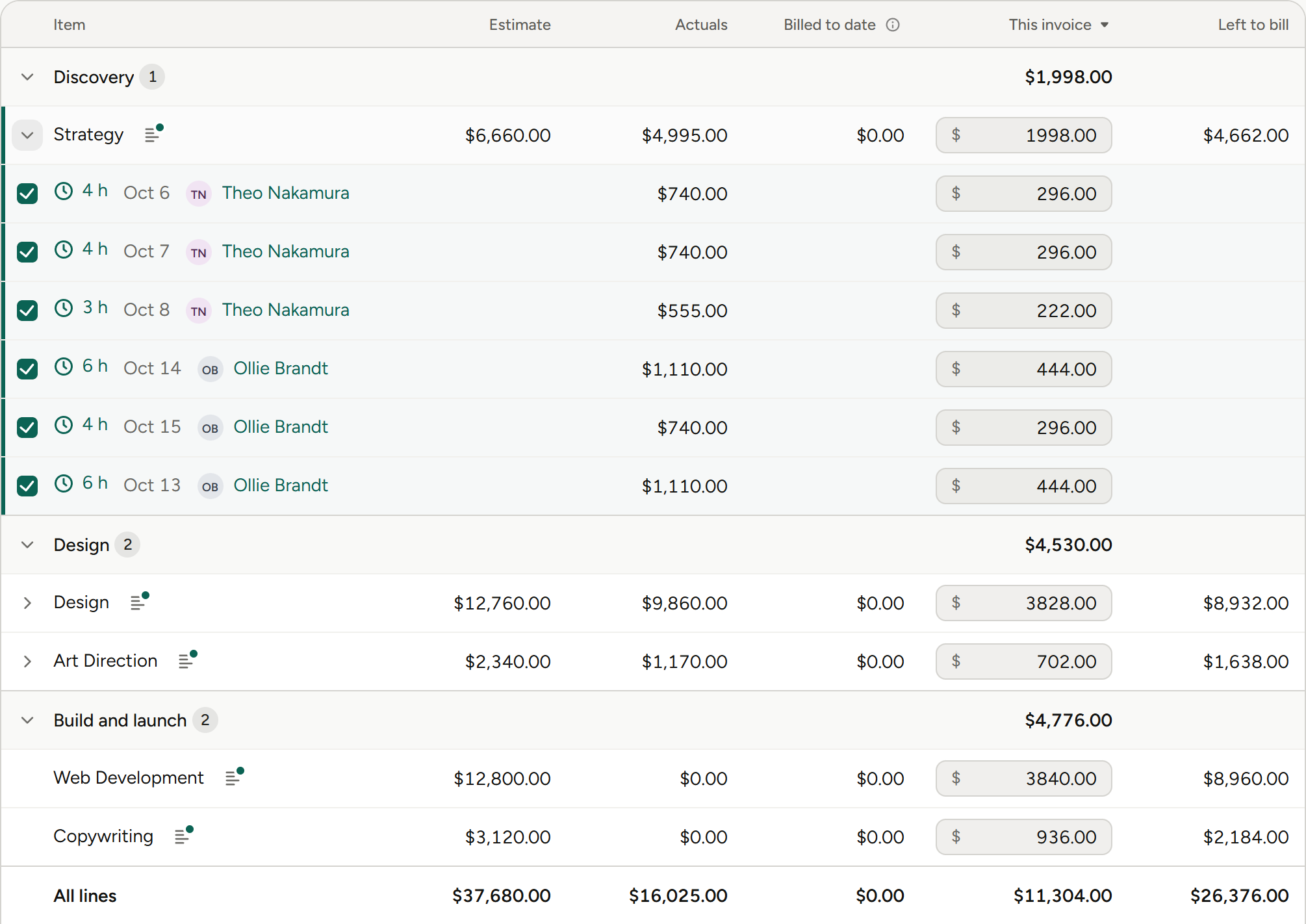
03
Invoice, get paid, and see what’s coming in
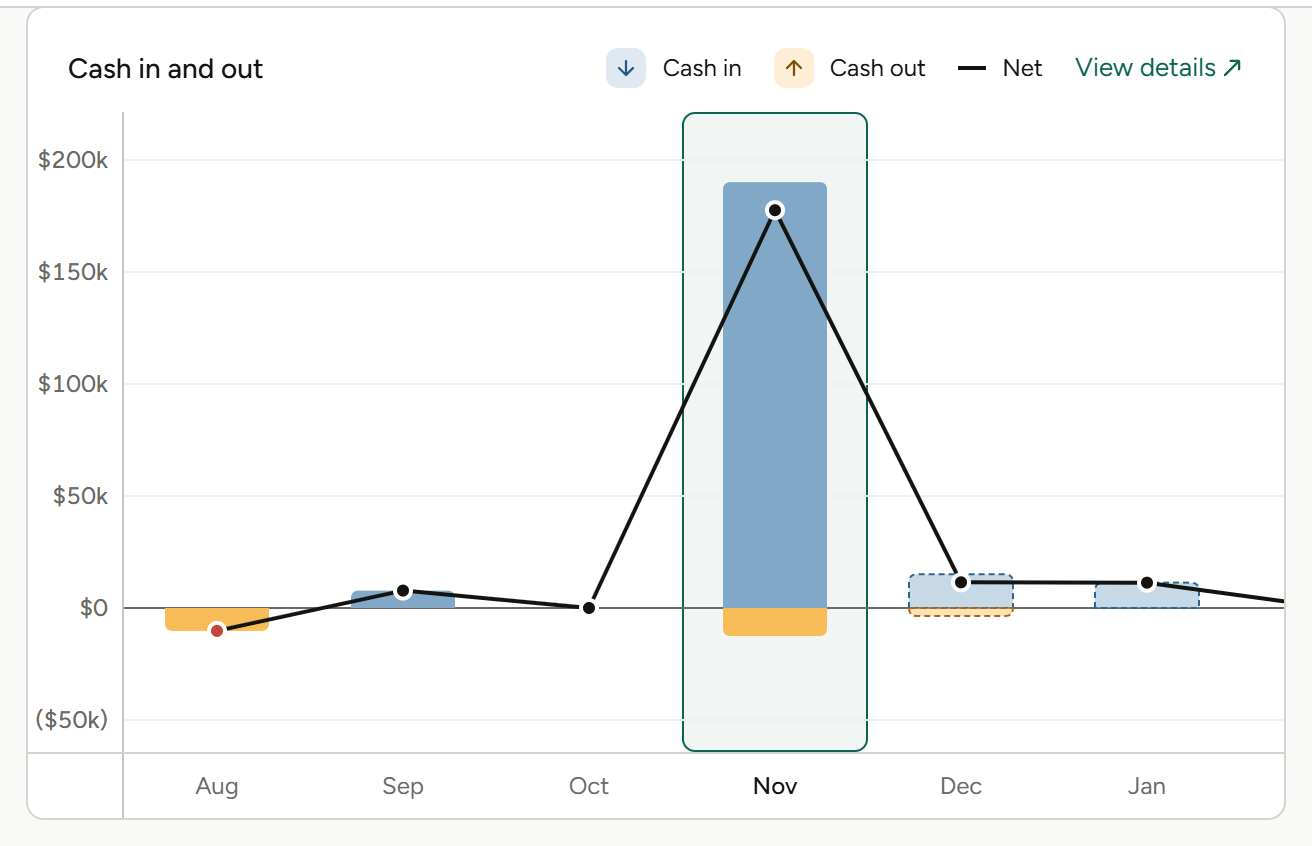
Invoice from the worksheet, for one project, many at once or a retainer. Email it from Frankly, take payment online, and sync invoices and payments with QuickBooks Online. Billing schedules feed a cash flow forecast, so you can see the revenue on its way.
Bulk, multi-project, campaign and retainer invoicing, deposits, invoice approvals, billing schedules, cash flow forecast, online payments with Stripe and Payroc, QuickBooks Online.
More on invoicing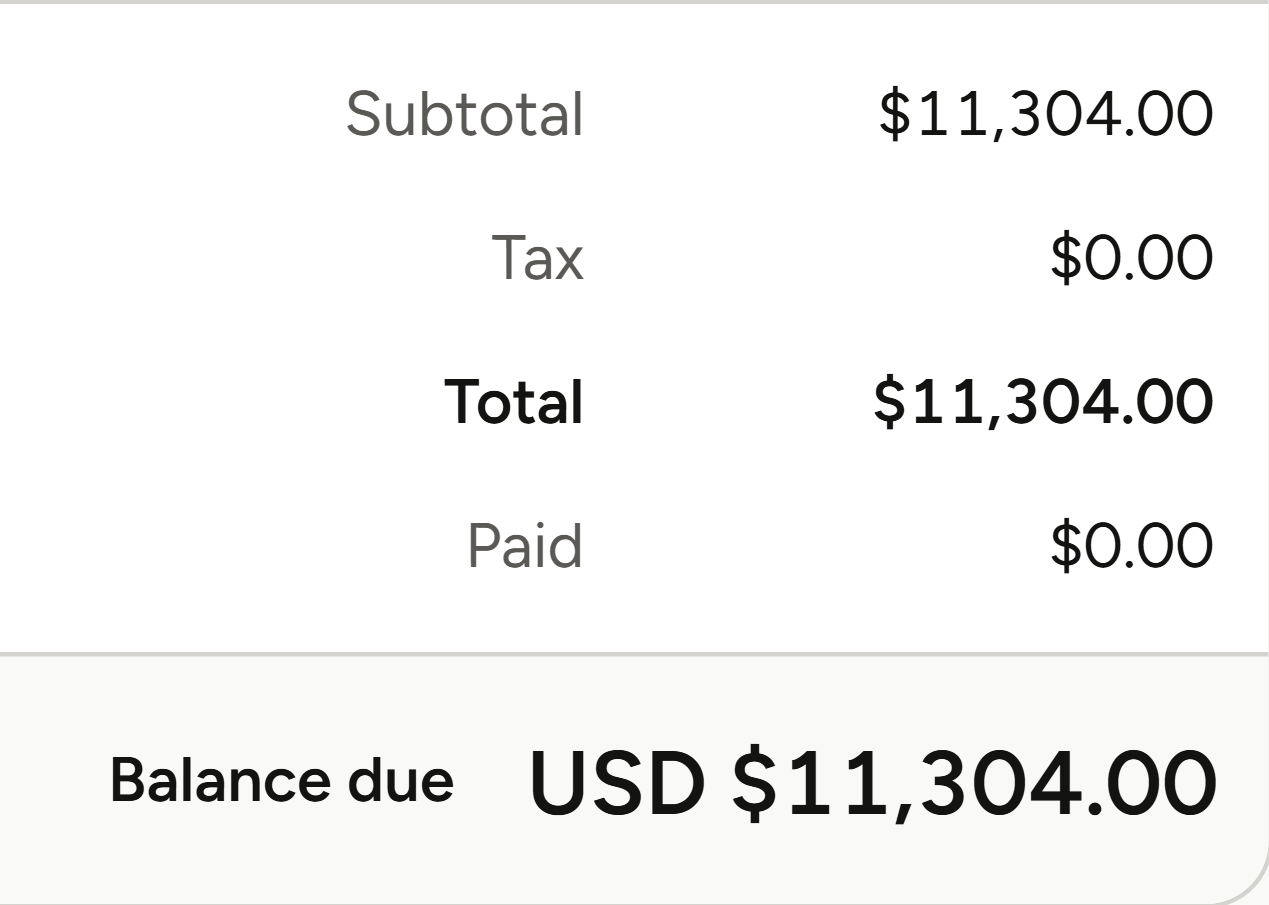
What Financials means for your role.
Same numbers, different questions. Pick yours.
Agency owners
“Are we making money on the work we win?”
Owners see margin at the moment it’s decided, on the estimate, and what each client owes without asking finance.
Margin before you say yes
Set a target margin on any estimate and see the revenue it needs.
Price on value
Price on what the outcome is worth to the client, not only on hours.
Balances on the client
Invoiced, settled and balance due on every client record.
Profit by project and period
See which projects, and which months, made money.
Finance and operations
“Can month-end stop being a scavenger hunt?”
Finance teams get invoices, payments and the books on one track, without re-keying anything.
QuickBooks Online sync
Payments flow back from QuickBooks.
Bulk invoicing
Bill many projects in one pass.
Approvals before send
Invoices go through an approval workflow before they’re sent.
Multi-currency, natively
Multi-currency is built in, not a workaround.
Account leads
“What can I bill this client right now?”
Account leads see what’s billable line by line and can invoice the way each client buys.
The invoice worksheet
Every line’s estimate against its actuals before you commit.
Deposits
Bill part of the work up front.
Campaign invoices
Invoice a campaign, or several projects at once.
Retainers
Invoice retainers alongside project work.
Project and traffic managers
“Will this job go over before anyone notices?”
Project managers see the money side of a job from the schedule they already run.
PO balance up front
See what a purchase does to the PO before you save it.
Expenses on the project
Costs land on the job as they’re logged.
Estimate from the schedule
Turn the plan you built into the estimate.
Actuals by phase
Know which phase ran over, not just the total.
Agents
Agents do the legwork. You make the call.
Frankly’s agents work inside the system and inside your permissions. They propose; you accept.
More on agentsProposes, then waits
An agent suggests the change. Nothing happens until you accept it.
Sees only what you see
Agents inherit your permissions. No elevated access, ever.
Works where the money is
Agents work with your projects, estimates and finances, all within each user’s permissions.
Also in Financials.
The details that keep the numbers right, from first quote to last payment.
Purchase orders
Quoted cost, current balance and new balance, shown as you fill in the form.
Retainer invoicing
Bill retainers alongside project work.
Billing schedules
Plan when each project bills. The cash flow forecast reads from them.
Deposits
Bill part of the work up front.
Online payments
Clients pay online through Stripe or Payroc.
Email from Frankly
Send invoices without leaving the app.
Rate cards
Service rates, role rates and staff rates.
Estimate templates
Start new estimates from a saved template.
Multi-currency
Native, not a workaround.
The rest of Frankly.
Price it. Track it. Bill it. Know what it earned.
See Financials running on real agency numbers in a walkthrough.