
Pipeline & deals
See the work coming before it’s won.
An agency sales pipeline that tracks prospects and open estimates through stages, each with a weighting, so weighted totals show what new business is worth before it’s signed.
Pick a question. See where Frankly answers it.
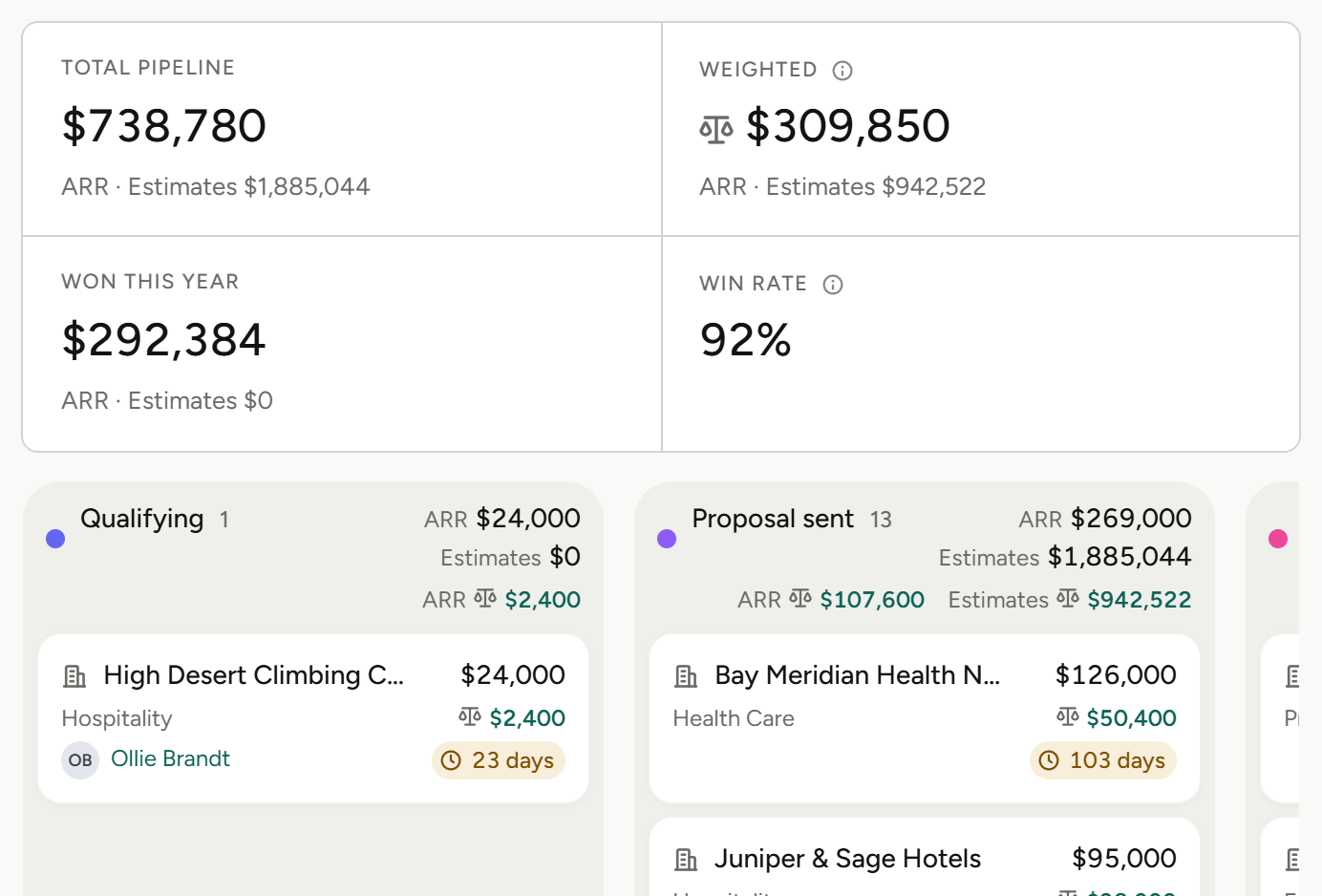
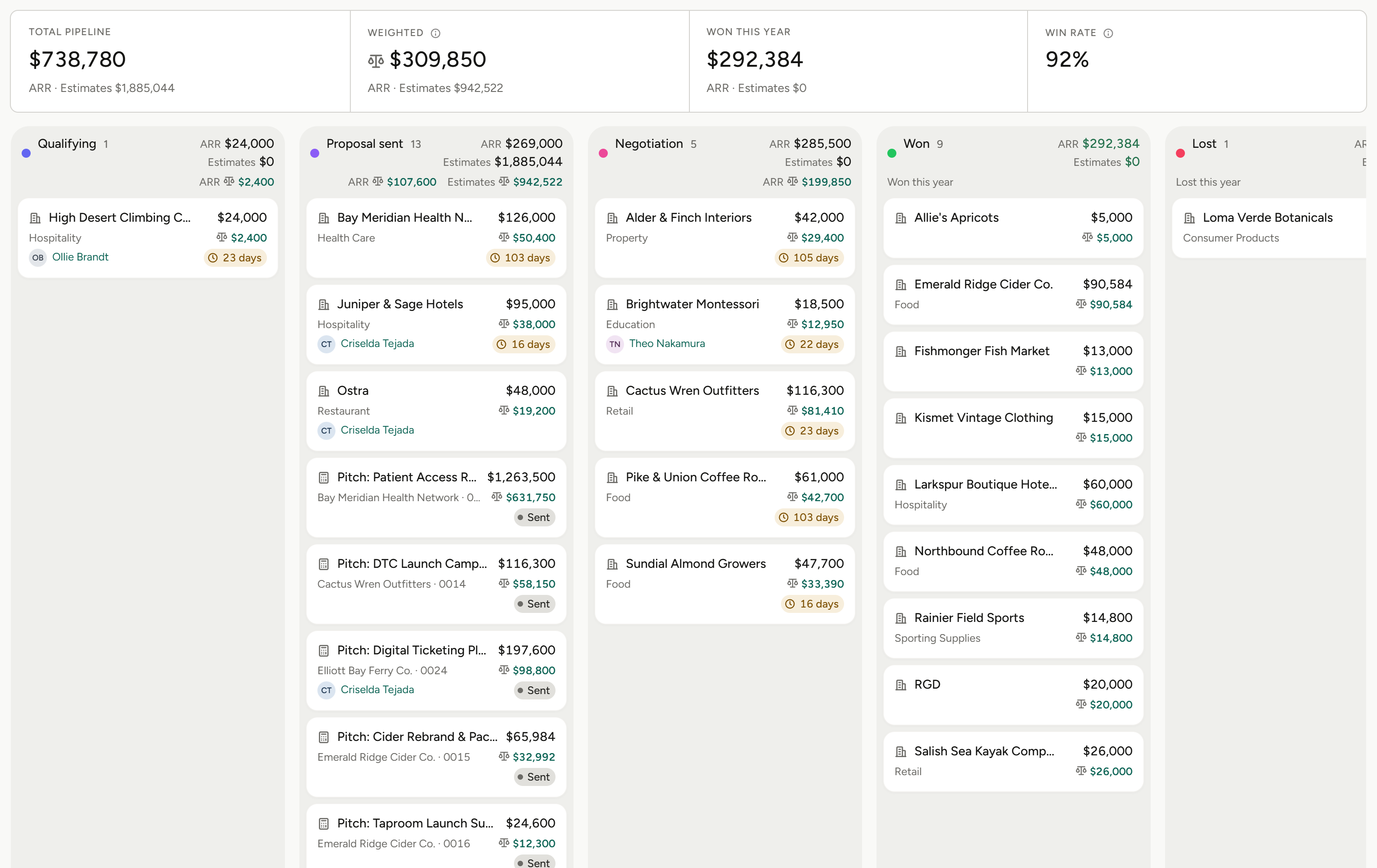
Every stage carries a subtotal and a weighted subtotal, and the board adds them up.
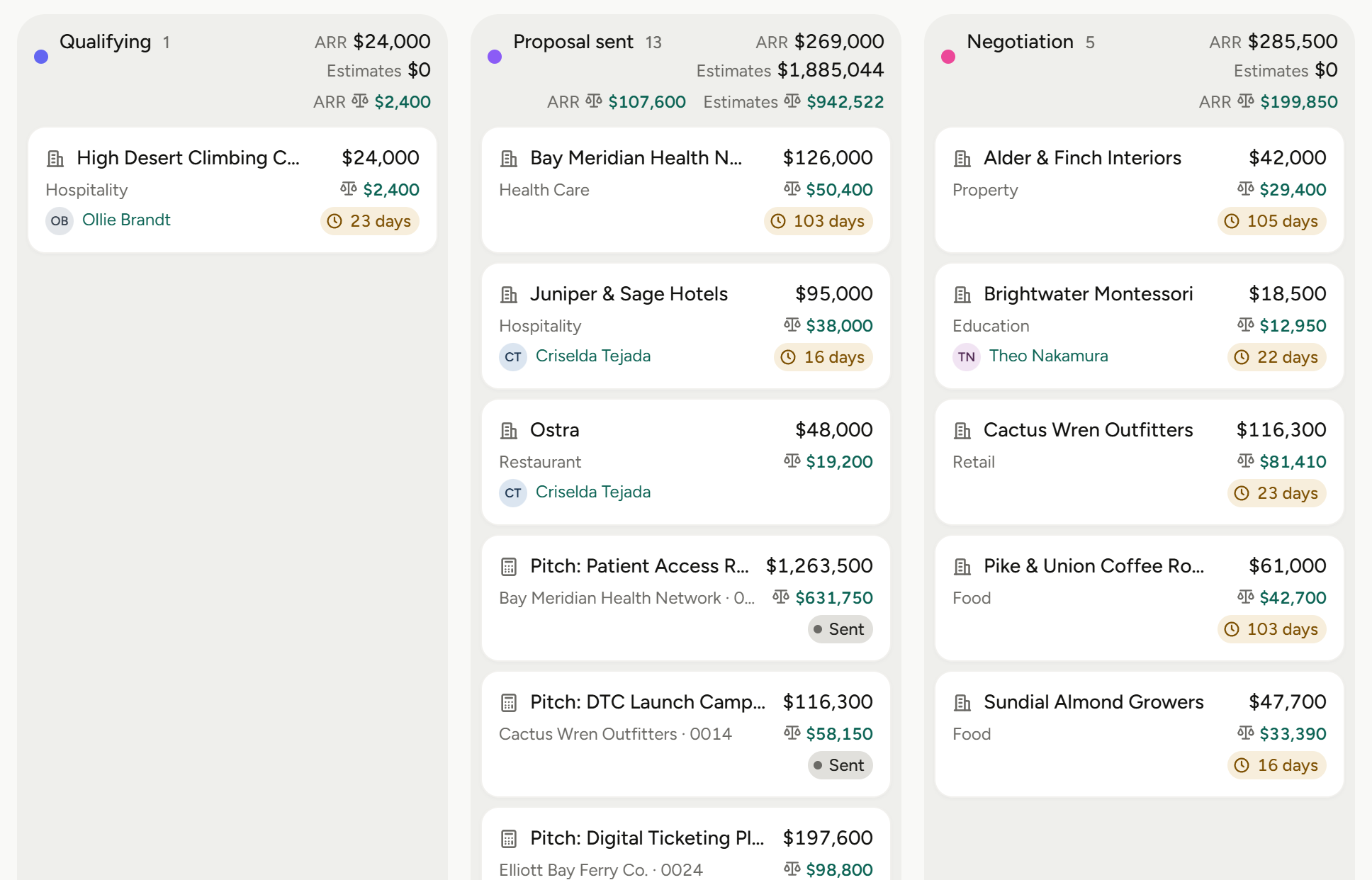
Drag a card to move an estimate to another stage.
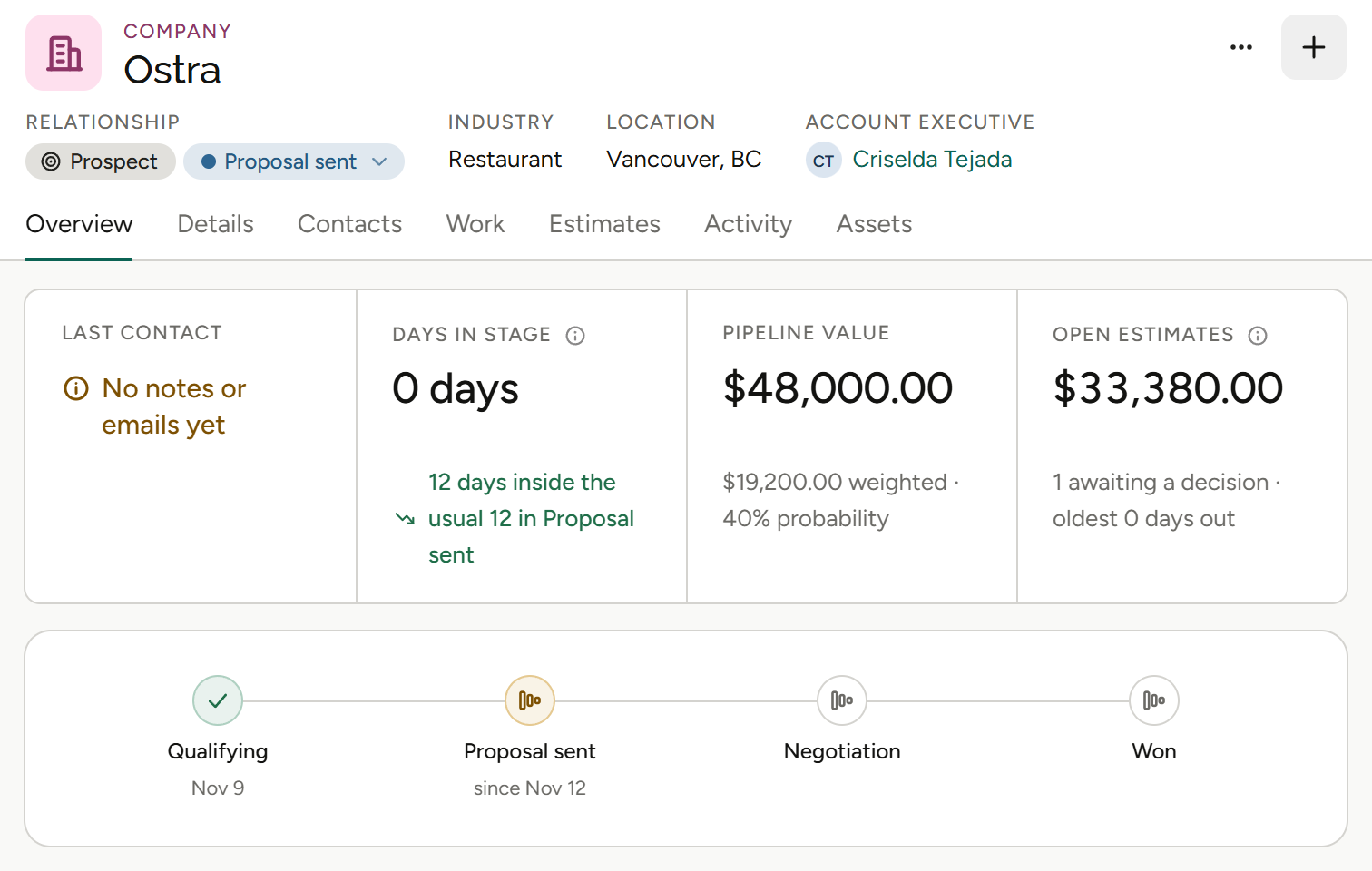
Pipeline value and stage sit on the client record, next to what they’ve been invoiced.
Three ways to read new business.
Weighted, not wishful
A weighted subtotal per stage and a weighted total for the board.
Move it by dragging
Drag a card to change its stage, and the totals follow.
On the client too
Pipeline value and stage sit on the client record.
From first conversation to priced work.
01
Add the prospect or estimate
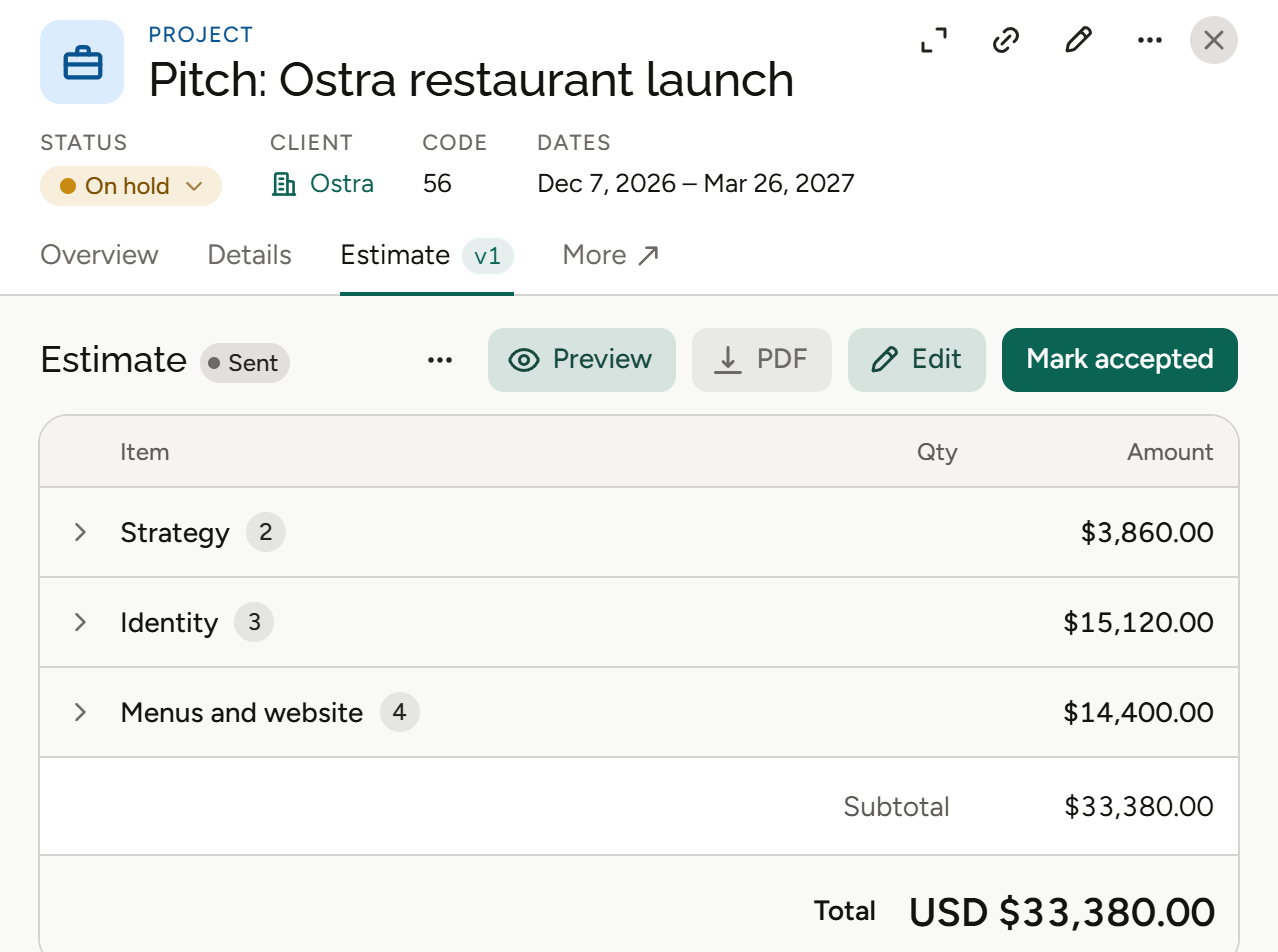
Put each prospect and open estimate on the board as a card with its estimate value, so new business sits in one place instead of a spreadsheet.
Pipeline board, estimate values.
02
Move it through the stages
Drag a card to change its stage. Each stage shows a subtotal and a weighted subtotal, and the board shows a weighted total. Agencies can rename and reorder the stages.
Stages, subtotals per stage, weighted totals.
03
See it on the client, then price the work
The client record shows pipeline value and stage next to what’s been invoiced. When it’s time to price the work, build the estimate from your service catalogue and rate cards.
Pipeline on the client record, estimates from the catalogue.
More on estimates and pricing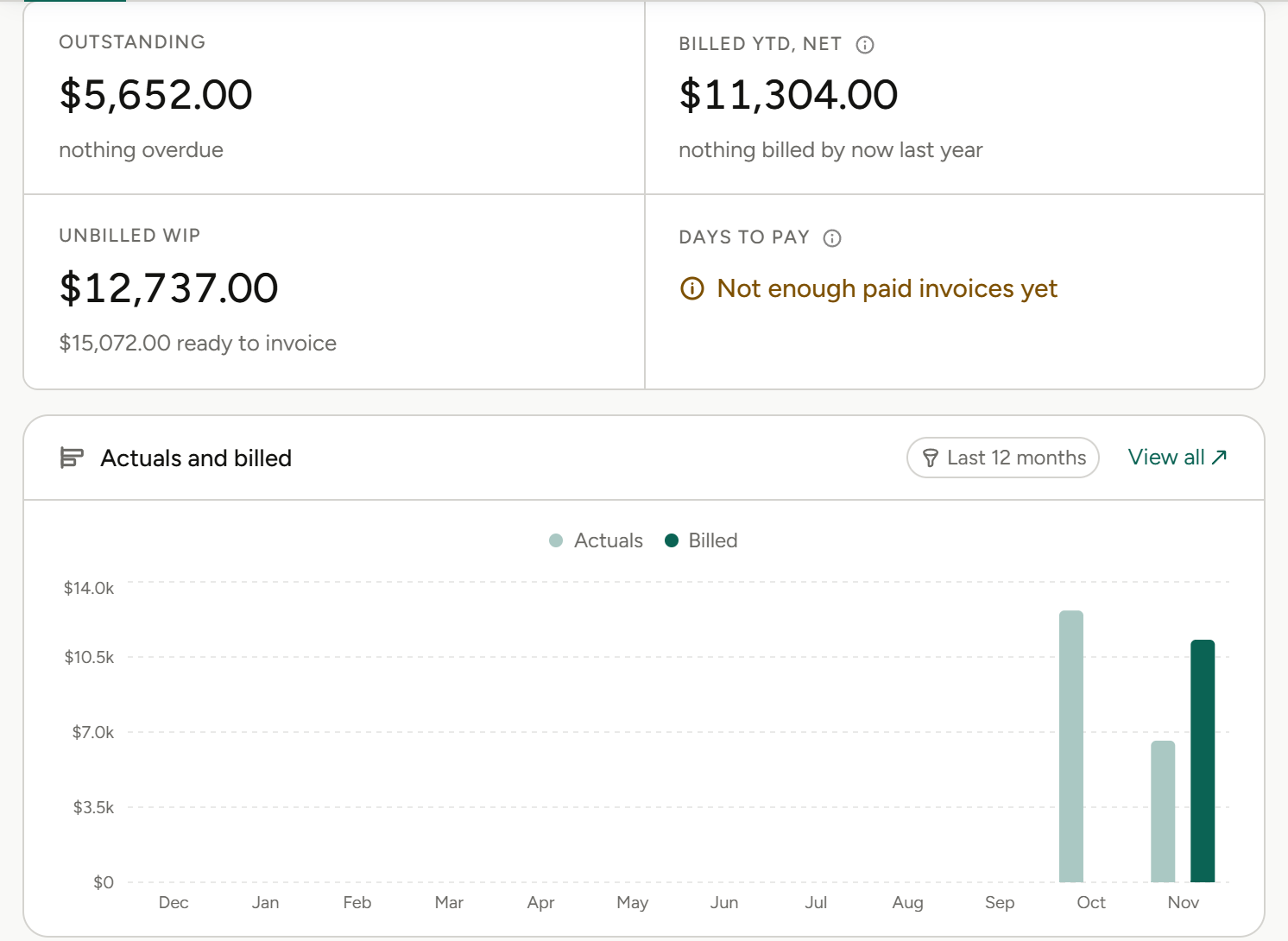
What the pipeline means for your role.
Same board, different questions. Pick yours.
Agency owners
“What new business can we count on?”
Owners see weighted new business next to what clients are already billed.
Weighted total
For the whole board.
Stage subtotals
Value and weighted value per stage.
Pipeline on the client
Next to invoiced and balance due.
Cash flow forecast
What’s coming in from billing schedules.
Finance and operations
“What’s likely to land?”
Finance teams read new business as weighted value, not a list of hopes.
Weighted subtotals
Per stage, added up for the board.
Estimate values
On every card.
Client balances
Invoiced, settled and balance due.
Cash flow forecast
From billing schedules.
Account leads
“Where does each of my estimates stand?”
Account leads keep every prospect and open estimate on one board and move it as the conversation moves.
Drag to change stage
The totals follow the card.
Value on every card
See what each estimate is worth.
Pipeline on the client
Value and stage on the client record.
Estimates from the catalogue
Price the work when it’s time.
Project and traffic managers
“What work is coming our way?”
Project managers see what’s likely to land before it becomes a project.
Estimates by stage
What’s close and what’s early.
Weighted total
A realistic read on new work.
Projects when it’s won
A project exists as soon as you name it.
Resource planning
Plan by role and person.
Agents
Agents do the legwork. You make the call.
Frankly’s agents work inside the system and inside your permissions. They propose; you accept.
More on agentsProposes, then waits
An agent suggests the change. Nothing happens until you accept it.
Sees only what you see
Agents inherit your permissions. No elevated access, ever.
Works where the money is
Agents work with your projects, estimates and finances, all within each user’s permissions.
Also in Pipeline & deals.
New business, read the same way as the rest of the agency.
Pipeline board
Every prospect and estimate as a card.
Stages
Rename and reorder them, then move each card as it progresses.
Estimate values
On every card.
Weighted totals
Per stage and for the whole board.
Drag to change stage
The totals follow.
Pipeline on the client record
Value and stage, next to what’s been invoiced.
The rest of Frankly.
Know what’s coming. Price it when it lands.
See the pipeline on real agency numbers in a walkthrough.