
Project management
Every project in flight, on one timeline.
Agency project management software that puts every project on one timeline, then narrows to a single job’s phases and tasks, with a task board, milestones and schedule templates built in.
Pick a question. See where Frankly answers it.
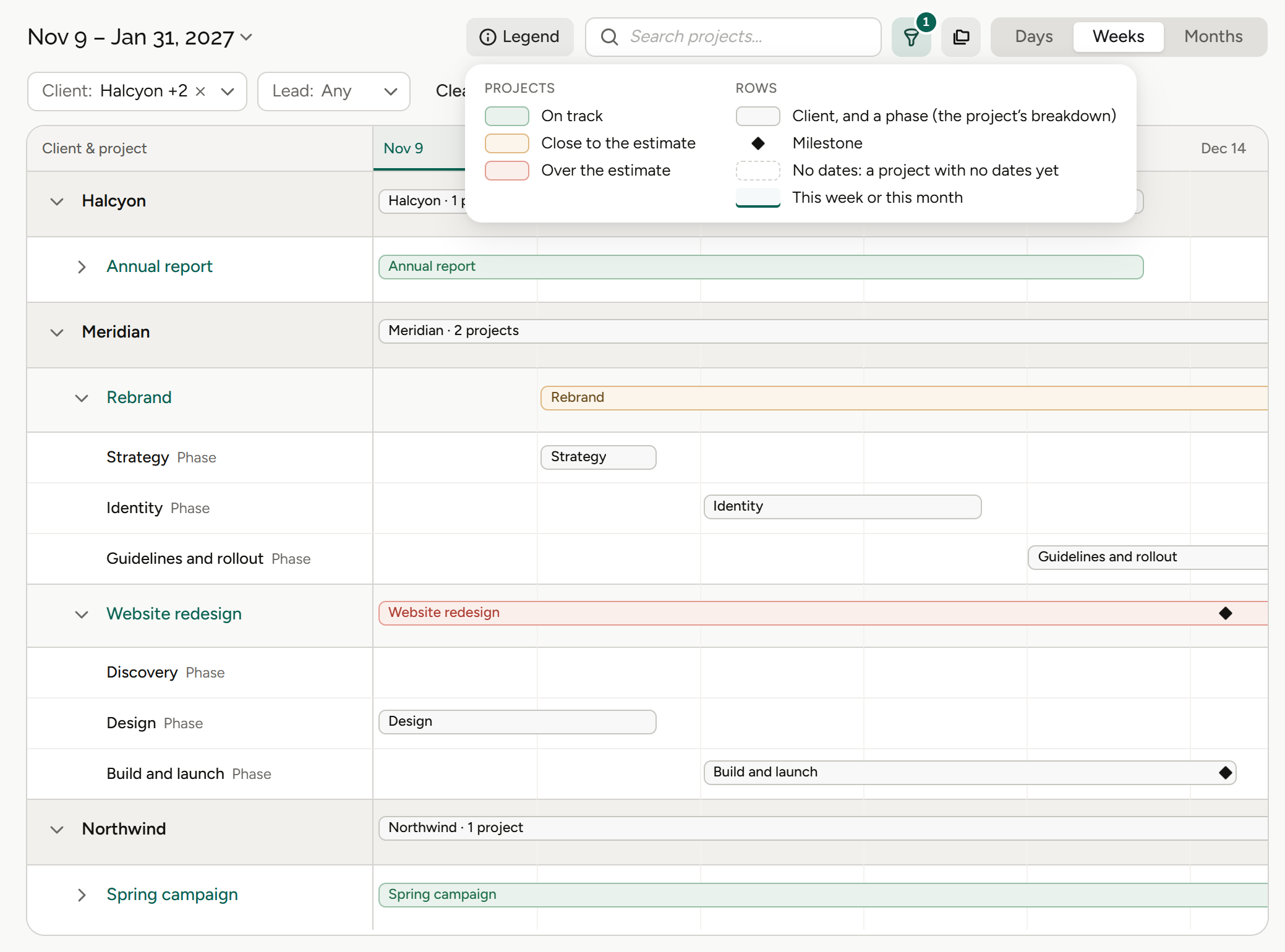
Every project on one timeline, each with a status and its phases nested underneath.
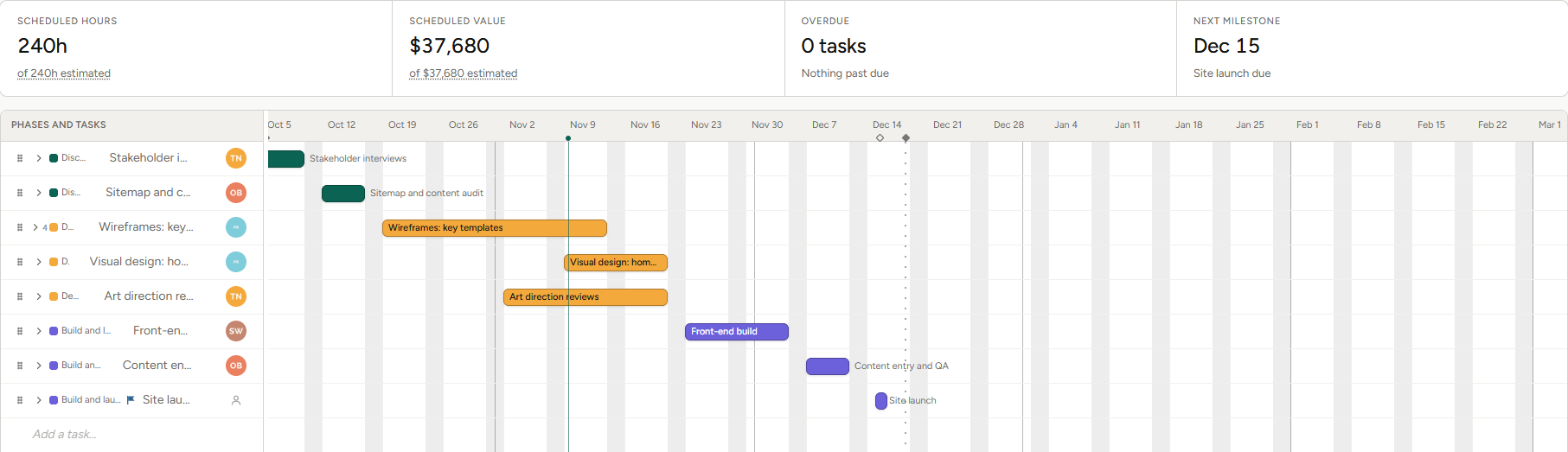
Drill into one job for its phases and tasks, in List, Gantt or Calendar view. Link tasks finish-to-start or start-to-start, with lag, and dependent tasks move automatically.
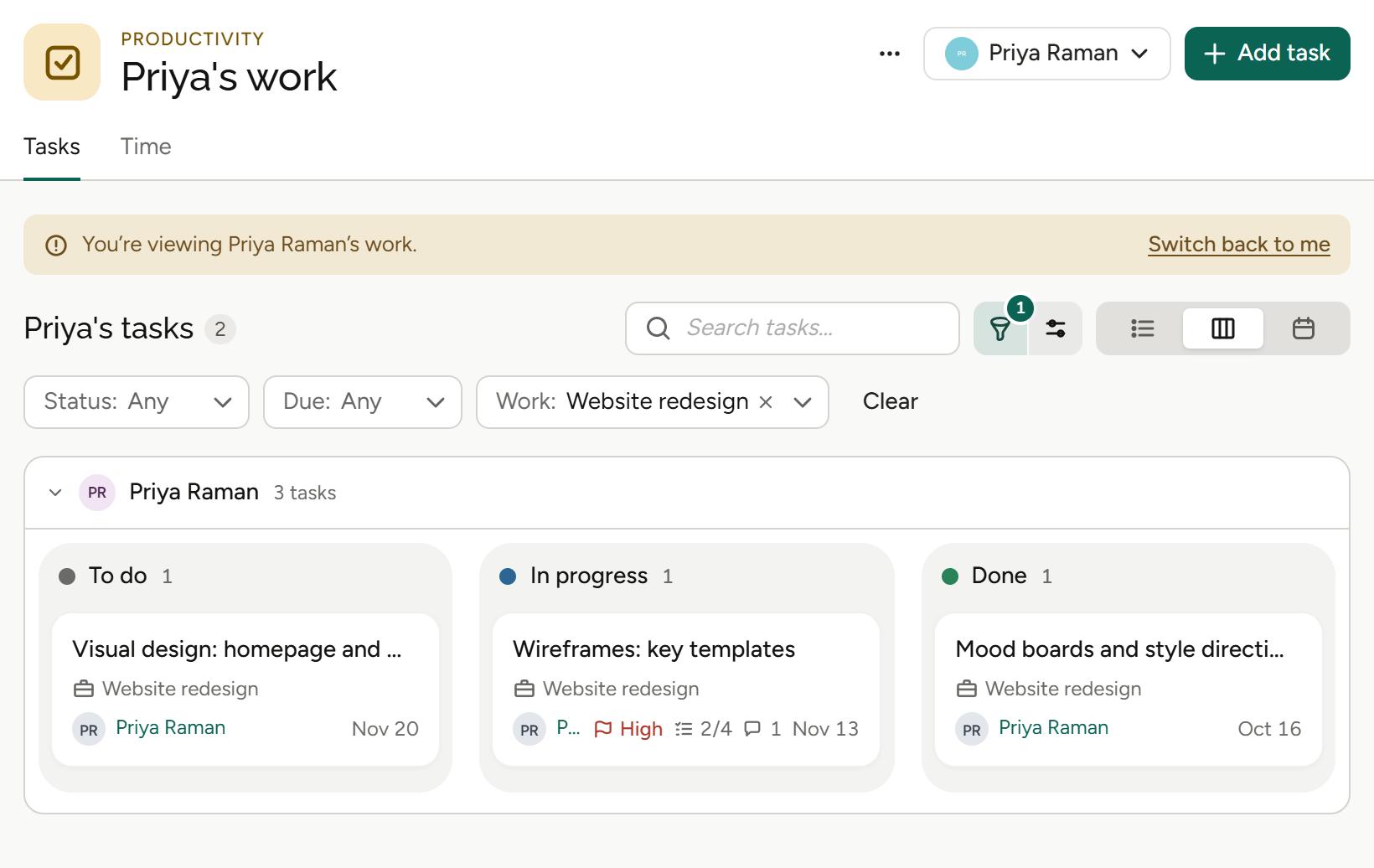
Each card carries the project, task code, assignee and date.
Three views of the same work.
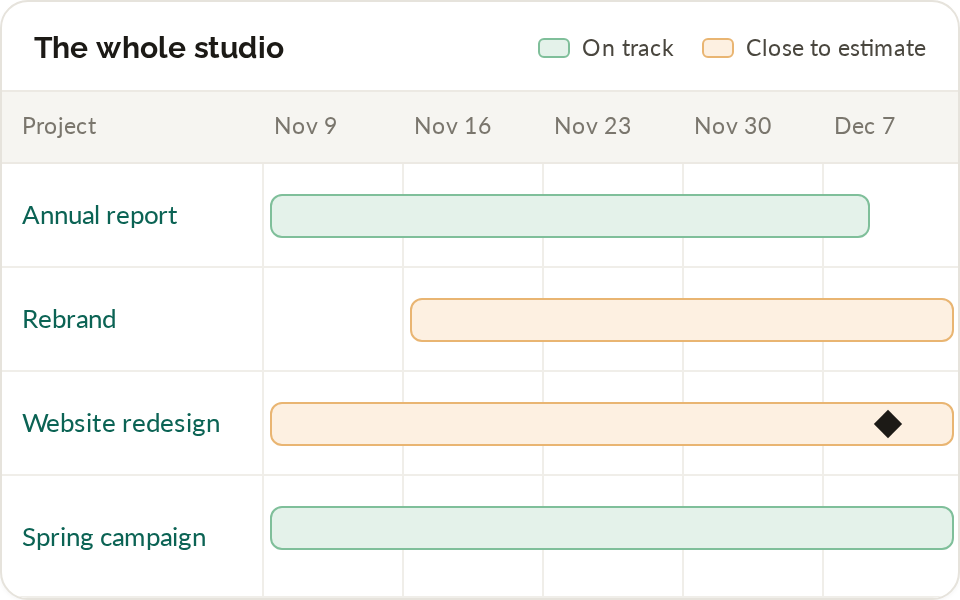
Every project in flight on one timeline, with status and phases.
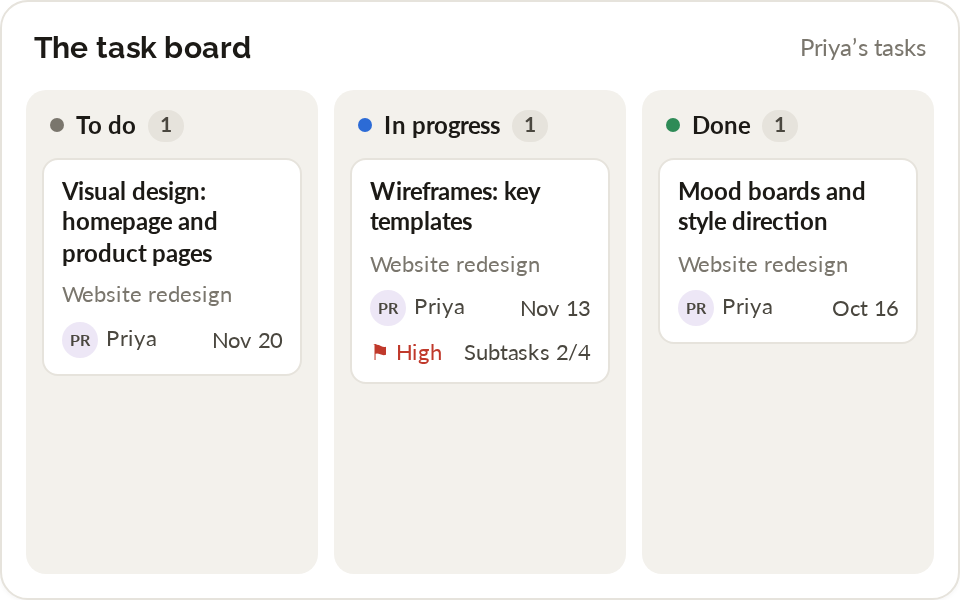
See what’s assigned, moving and done, card by card.
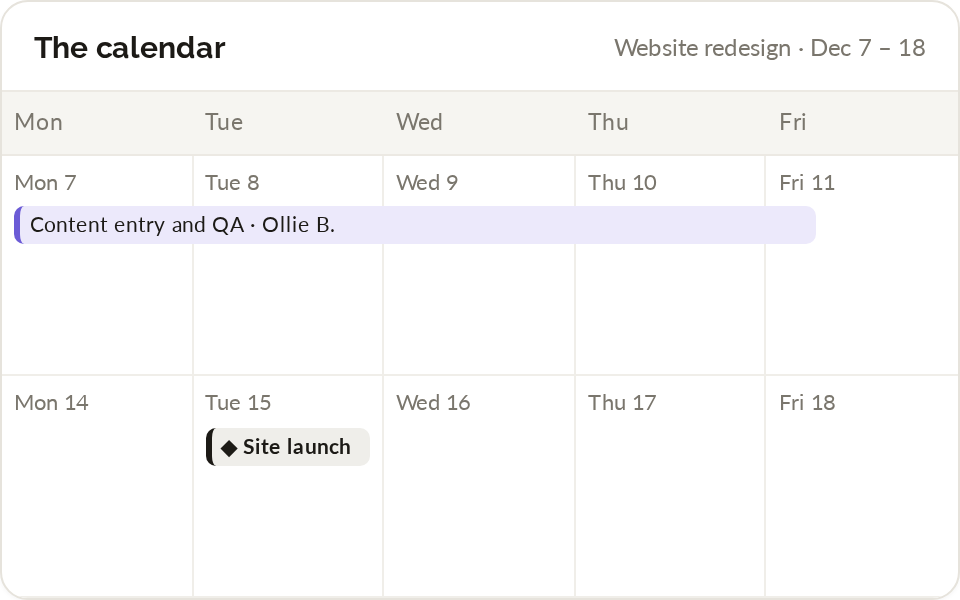
Tasks and milestones on the days they’re due.
From plan to delivered.
01
Plan the schedule
Build a schedule from the estimate, since the phases already exist, or start from a schedule template. Keep versions and copies as the plan changes, and set milestones for the dates that matter.
Schedule from the estimate, schedule templates, versions and copies, milestones.
More on estimates and pricing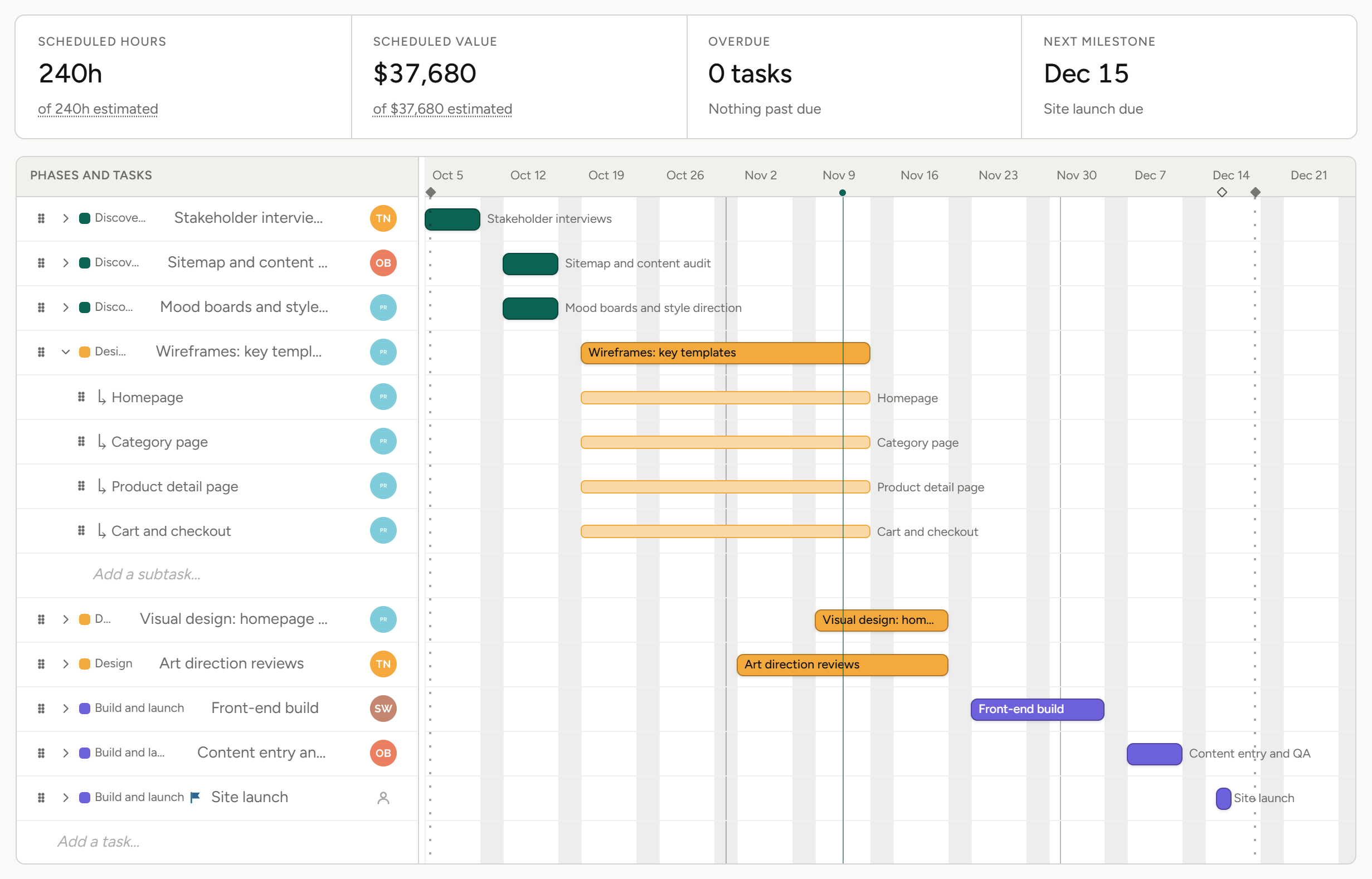
02
Run the work
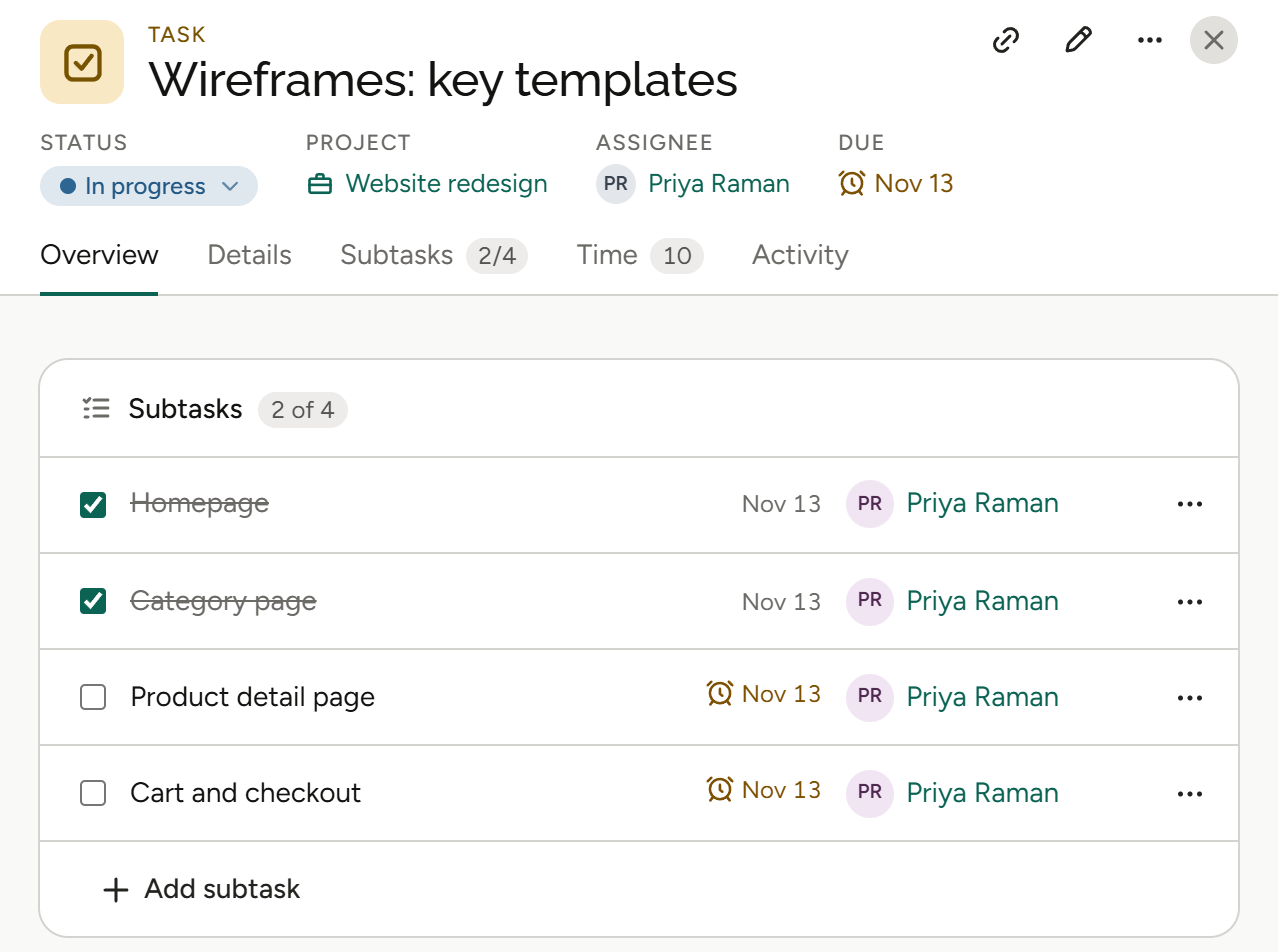
Break phases into tasks and subtasks, move them across the board, and keep the conversation on the task itself with comments and @mentions. The task calendar shows what’s due and when.
Task board, subtasks and custom statuses, comments and @mentions, task calendar.
03
See across the studio
Every project in flight sits on one timeline with its status, so the jobs that need attention stand out. Export a schedule to CSV when someone needs it outside Frankly.
Studio-wide timeline, project status, export a schedule to CSV.
More on resource planning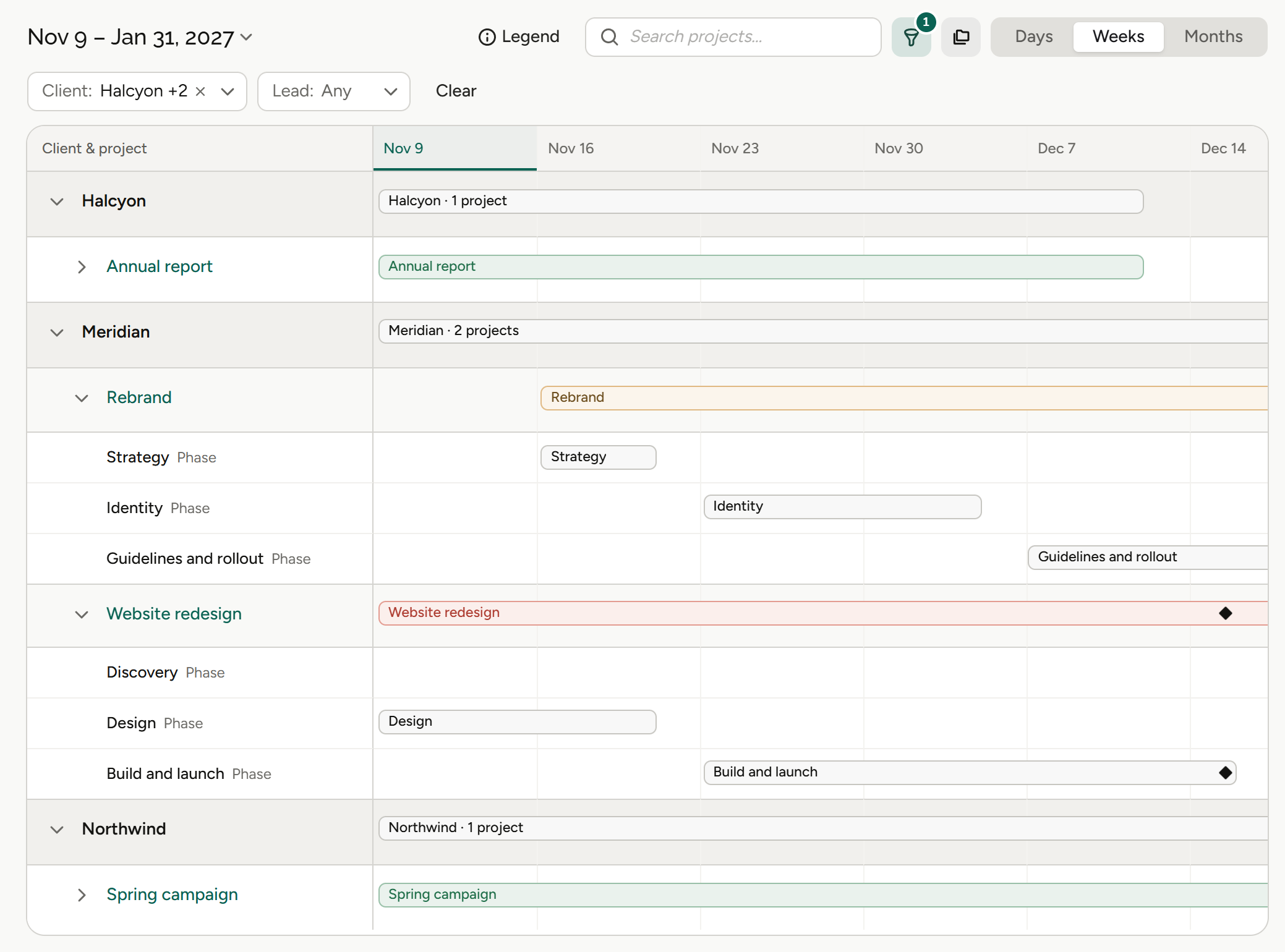
What project management means for your role.
Same projects, different questions. Pick yours.
Agency owners
“Which jobs need my attention?”
Owners see every project in flight on one screen, with the ones at risk easy to spot.
Studio timeline
Every project, one view.
Project status
At risk, on track or not started.
Milestones
The dates that matter, on the plan.
Profit by project
See which projects made money.
Finance and operations
“Is delivery tracking to what we sold?”
Finance teams see the plan start from the estimate, so delivery and pricing share the same phases.
Schedule from the estimate
The phases you priced become the plan.
Estimate against actuals
Per line, on the invoice worksheet.
Versions and copies
Keep track as the plan changes.
Export to CSV
Take a schedule out when you need it.
Account leads
“What can I tell the client today?”
Account leads know where each job stands without chasing the team.
Project status
See where every job stands.
Milestones
Dates the client is waiting on.
Comments on the task
The conversation sits with the work.
Briefs
Intake from clients and staff.
Project and traffic managers
“Who’s doing what, and what’s slipping?”
Traffic managers get the studio-wide view they need, then drill into any job.
Every project on one timeline
The traffic view on one screen.
Task board
Assigned, in progress, confirmed, completed.
Task calendar
What’s due and when.
Schedule templates
Start new jobs from a saved plan.
Agents
Agents do the legwork. You make the call.
Frankly’s agents work inside the system and inside your permissions. They propose; you accept.
More on agentsProposes, then waits
An agent suggests the change. Nothing happens until you accept it.
Sees only what you see
Agents inherit your permissions. No elevated access, ever.
Works where the money is
Agents work with your projects, estimates and finances, all within each user’s permissions.
Also in Project management.
The tools that keep every job moving.
Gantt and timeline view
Every project in flight, or one project at a time.
Milestones
Mark the dates that matter.
Task board
Move work across columns.
Subtasks and custom statuses
Break work down your way.
Schedule from the estimate
The phases already exist.
Schedule templates
With versions and copies.
Task calendar
What’s due, by day.
Comments and @mentions
On the task itself.
Export to CSV
Take a schedule outside Frankly.
Task dependencies
Finish-to-start and start-to-start links with lag; dependent tasks move automatically.
Budget alerts
Each project can alert at up to five budget percentages, by default 75%, 90% and 100%.
The rest of Frankly.
Plan every job. See the whole studio.
See project management on real agency work in a walkthrough.