
Resource planning
See who’s buried and who’s free.
Agency resource planning software that shows capacity by role, person and assignment, a resource calendar, and approved leave taken out of capacity.
Pick a question. See where Frankly answers it.
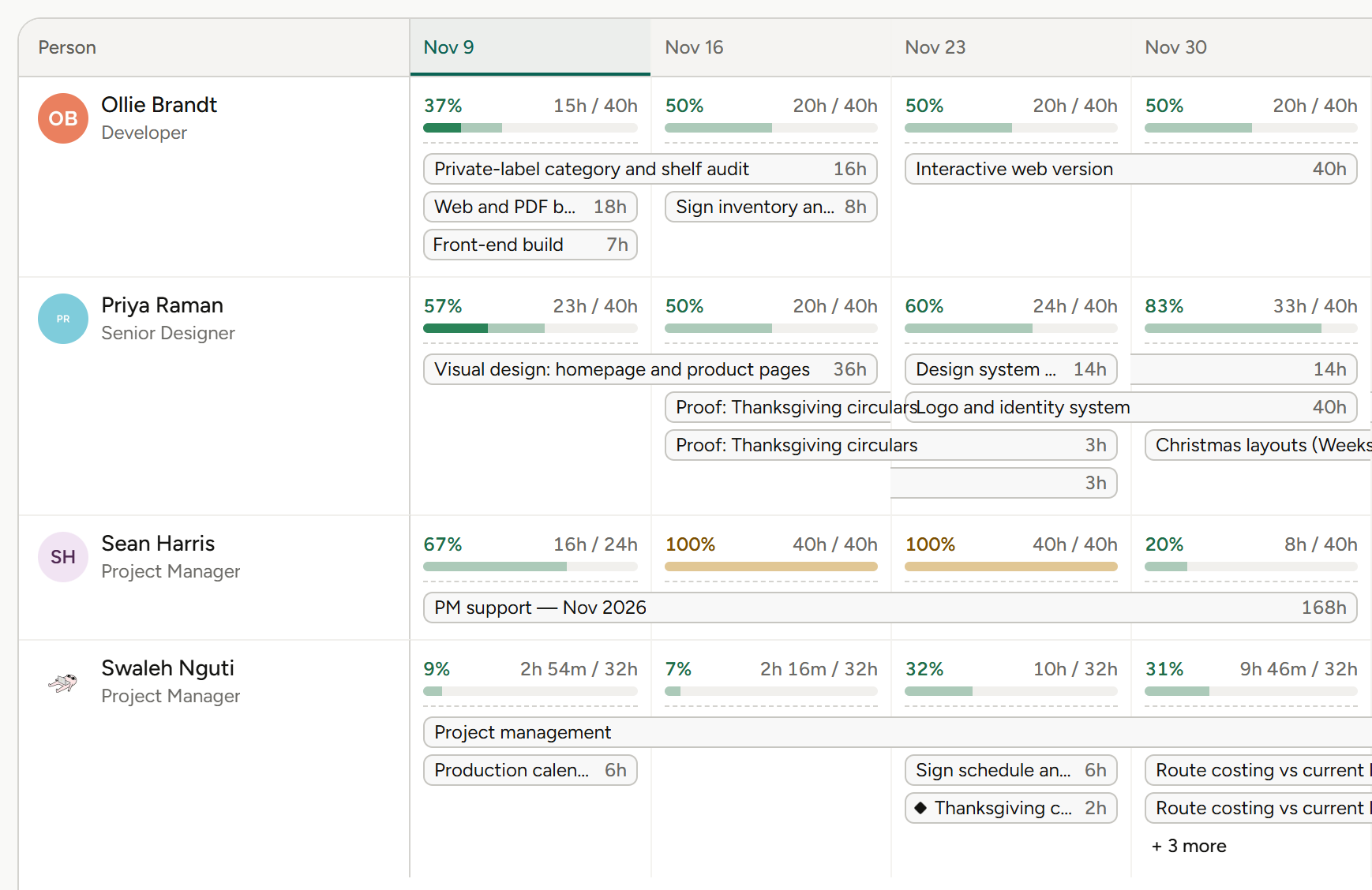
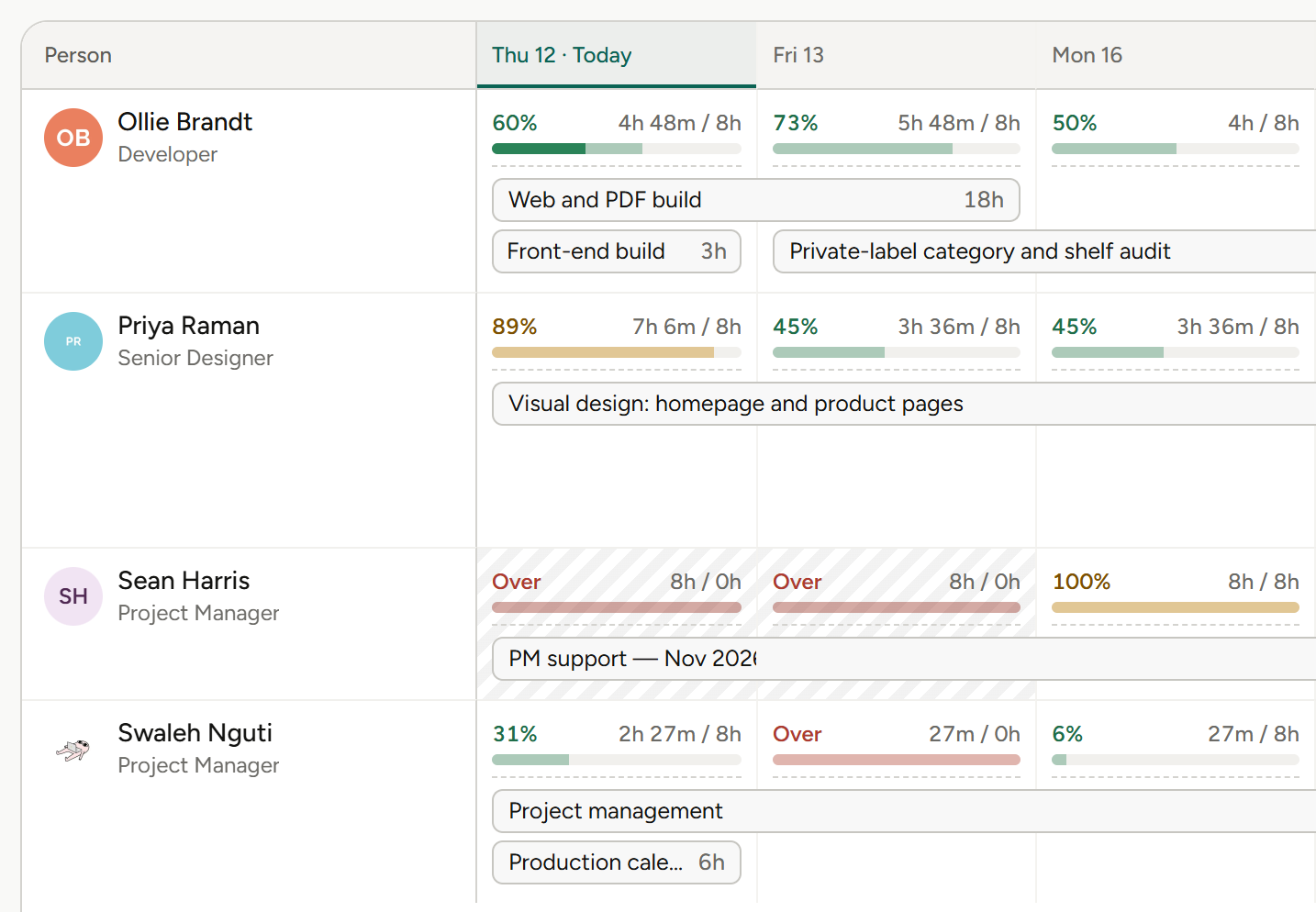
Booked hours on the left of the slash, capacity on the right.
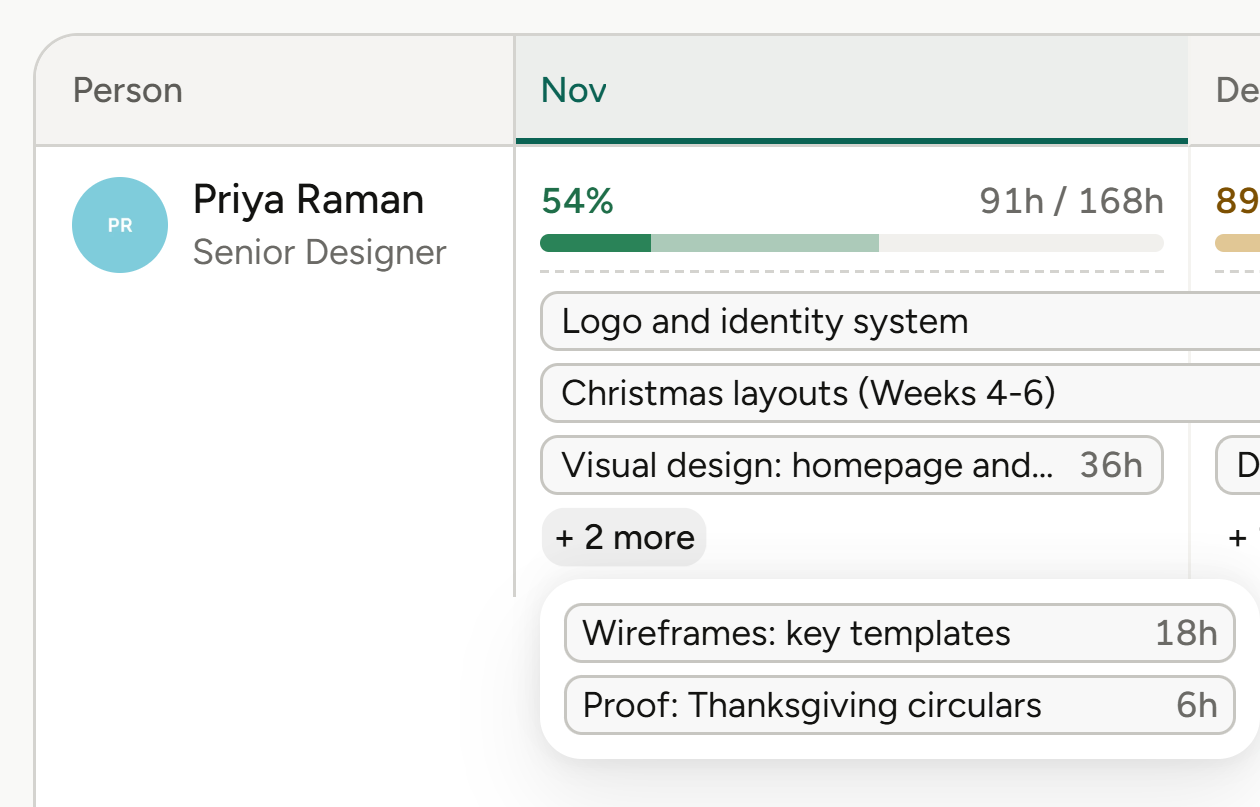
Role, then person, then the assignments underneath.
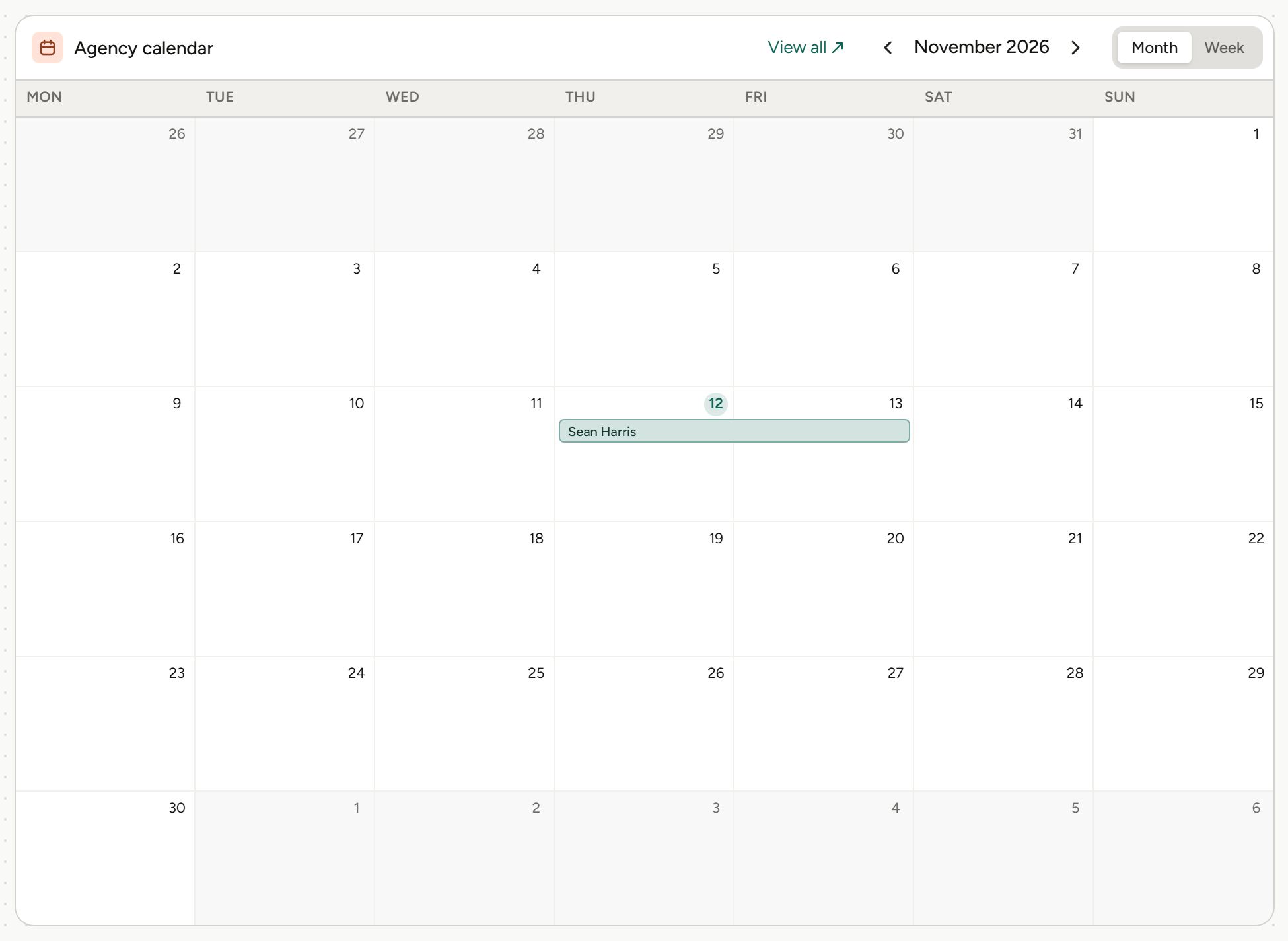
Approved leave comes straight out of capacity.
Three ways to read capacity.
By role, person and assignment
Capacity looks forward, with hours against available in every cell.
Capacity by person
See who is buried and who is free.
Resource calendar
Time off and availability, with approved leave taken out.
From open role to booked week.
01
Plan by role
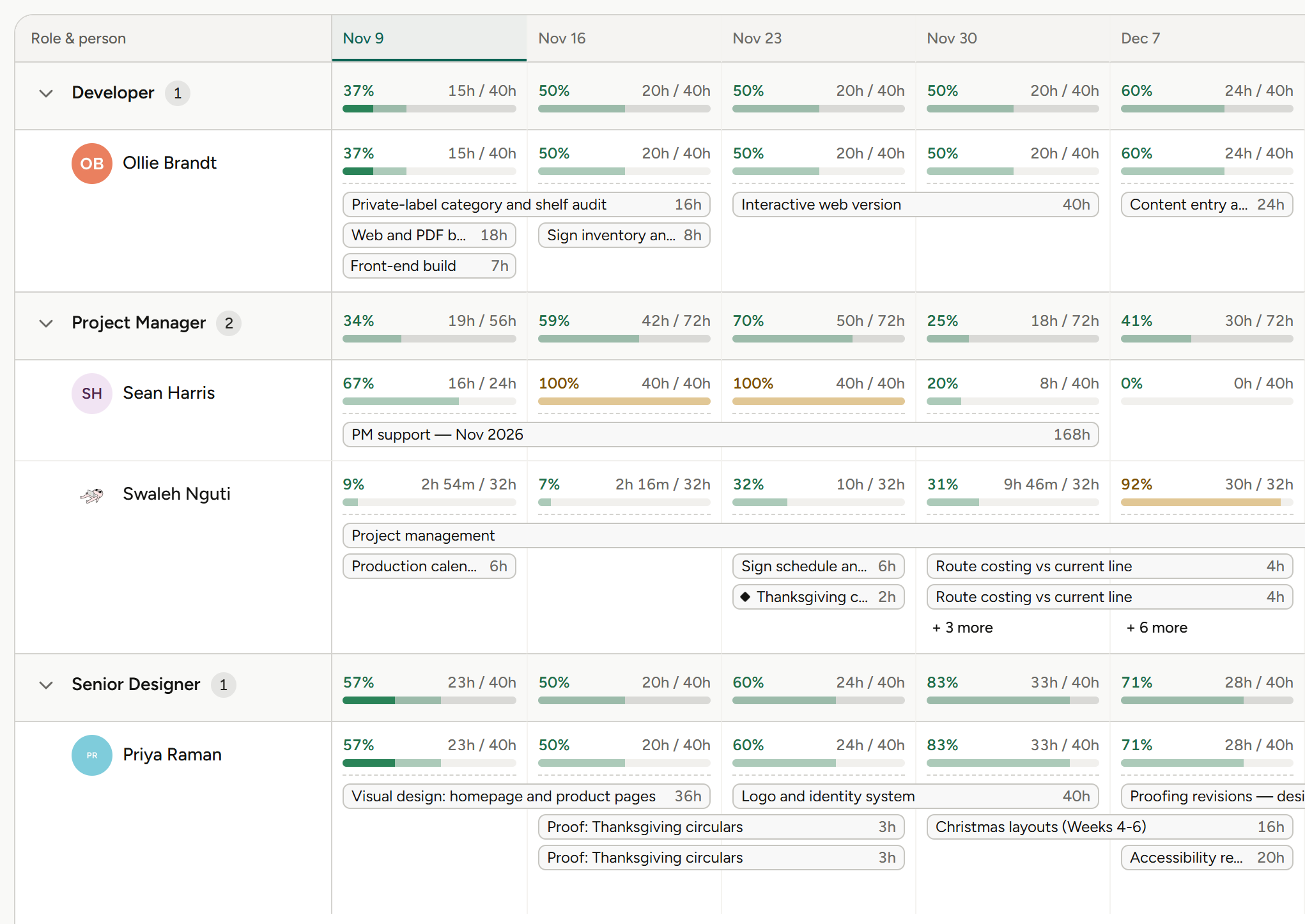
Plan the work by role while staffing is still open, and see hours against available for each one.
Resource planning by role.
02
Assign the people
Drop to person and assignment to see exactly what each booking is against, and who is buried and who is free.
Planning by person and assignment.
03
Keep capacity honest
Approved leave comes straight out of capacity, and the resource calendar shows who’s available on any day.
Time off and availability, resource calendar.
More on time tracking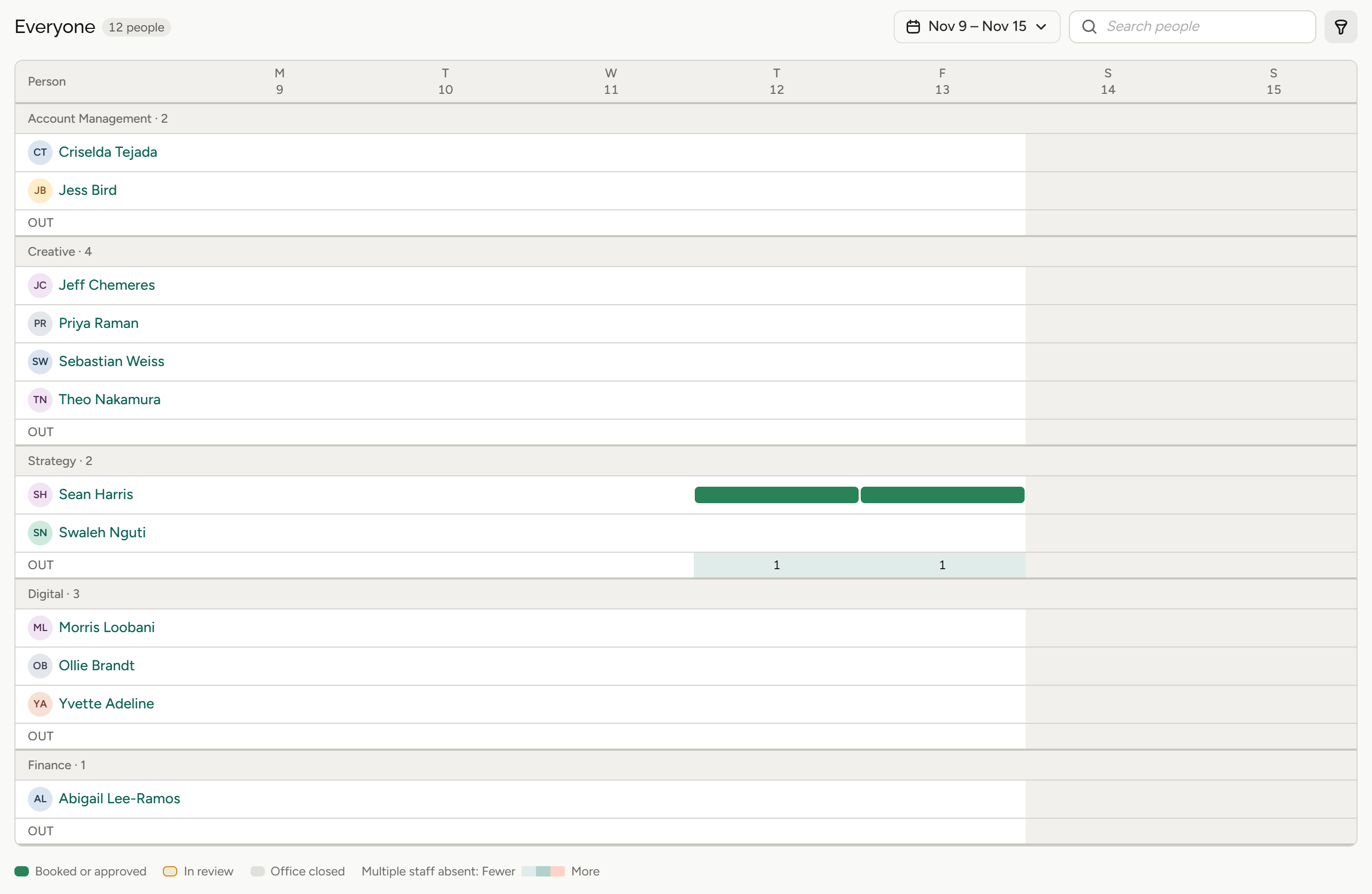
What resource planning means for your role.
Same team, different questions. Pick yours.
Agency owners
“Do we have room for this work?”
Owners see forward capacity across the team before saying yes to new work.
Capacity by role
Hours against available.
Capacity by person
Who is buried and who is free.
Pipeline
Weighted new business.
Profit by project
See which projects made money.
Finance and operations
“Is the team’s time being used well?”
Finance teams see utilization and capacity on the same screen.
Capacity by person
Across the team.
Hours against available
In every cell.
Time off
Out of capacity once approved.
Approved time
On the invoice worksheet.
Account leads
“Who can pick up this client’s work?”
Account leads see who has room before promising the client a start.
Capacity by person
Who has room.
Assignments
What each person is booked on.
Resource calendar
Who’s available, by day.
Milestones
On the project plan.
Project and traffic managers
“Who’s buried and who’s free?”
Project managers book the team looking forward, not through a pile of overdue work.
Role, person, assignment
Drill down in one view.
Capacity by person
At a glance.
Time off and availability
Leave comes out of capacity.
Every project on one timeline
The studio-wide view.
Agents
Agents do the legwork. You make the call.
Frankly’s agents work inside the system and inside your permissions. They propose; you accept.
More on agentsProposes, then waits
An agent suggests the change. Nothing happens until you accept it.
Sees only what you see
Agents inherit your permissions. No elevated access, ever.
Works where the money is
Agents work with your projects, estimates and finances, all within each user’s permissions.
Also in Resource planning.
Capacity you can plan against.
Capacity by role
Hours against available.
Capacity by person
Who has room.
Assignments
What each booking is against.
Capacity by person
Who is buried and who is free.
Resource calendar
Availability by day.
Time off and availability
Approved leave comes out of capacity.
The rest of Frankly.
Book the week ahead. Not the backlog.
See resource planning on real agency work in a walkthrough.