
Time tracking
Time goes on a day, not into a form.
Agency time tracking software with a timer on every screen, time you drag onto your day, and timesheets and approvals before time reaches the invoice.
Pick a question. See where Frankly answers it.
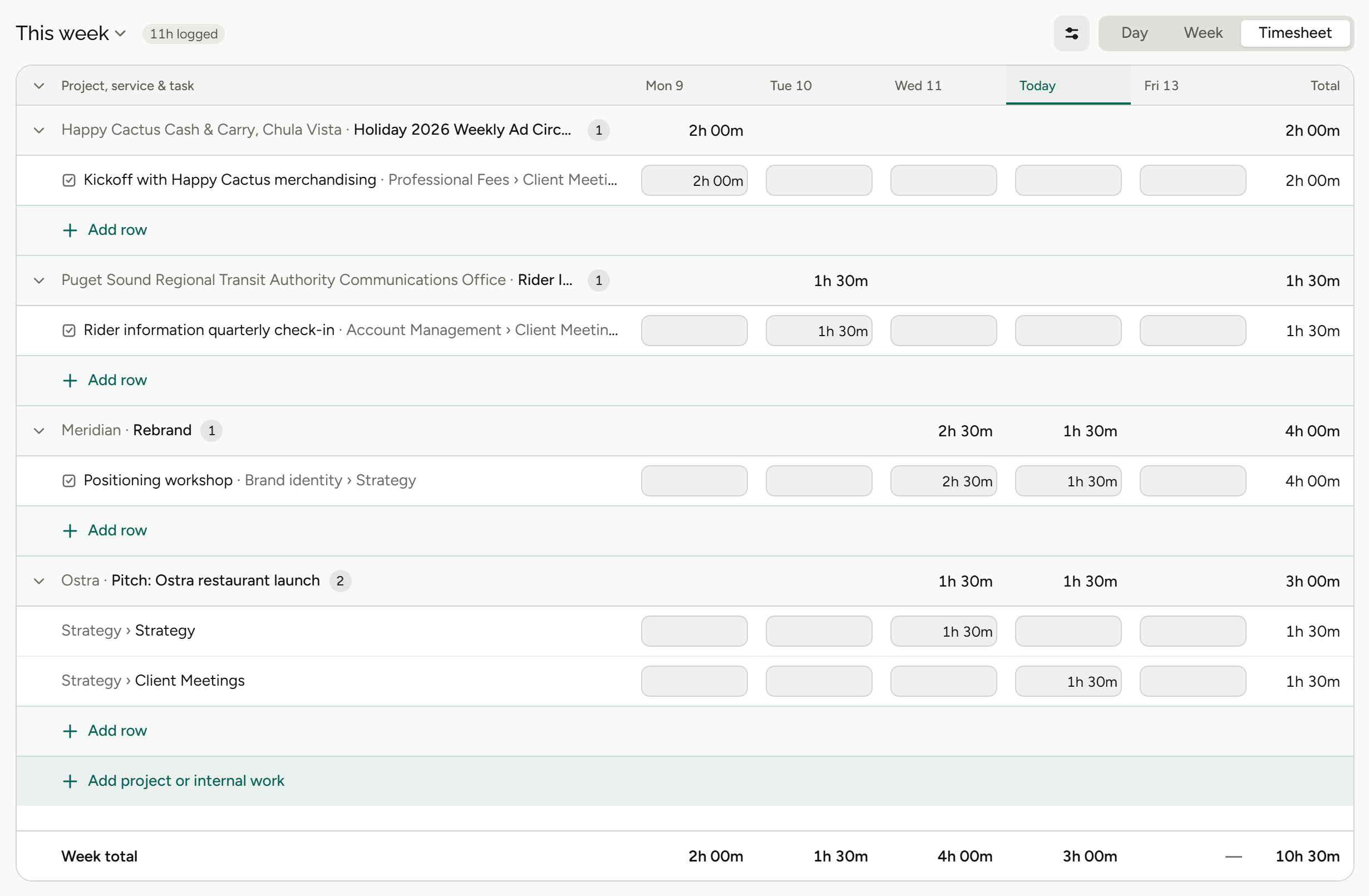
Today, this week, entries and unallocated hours sit above the timeline.
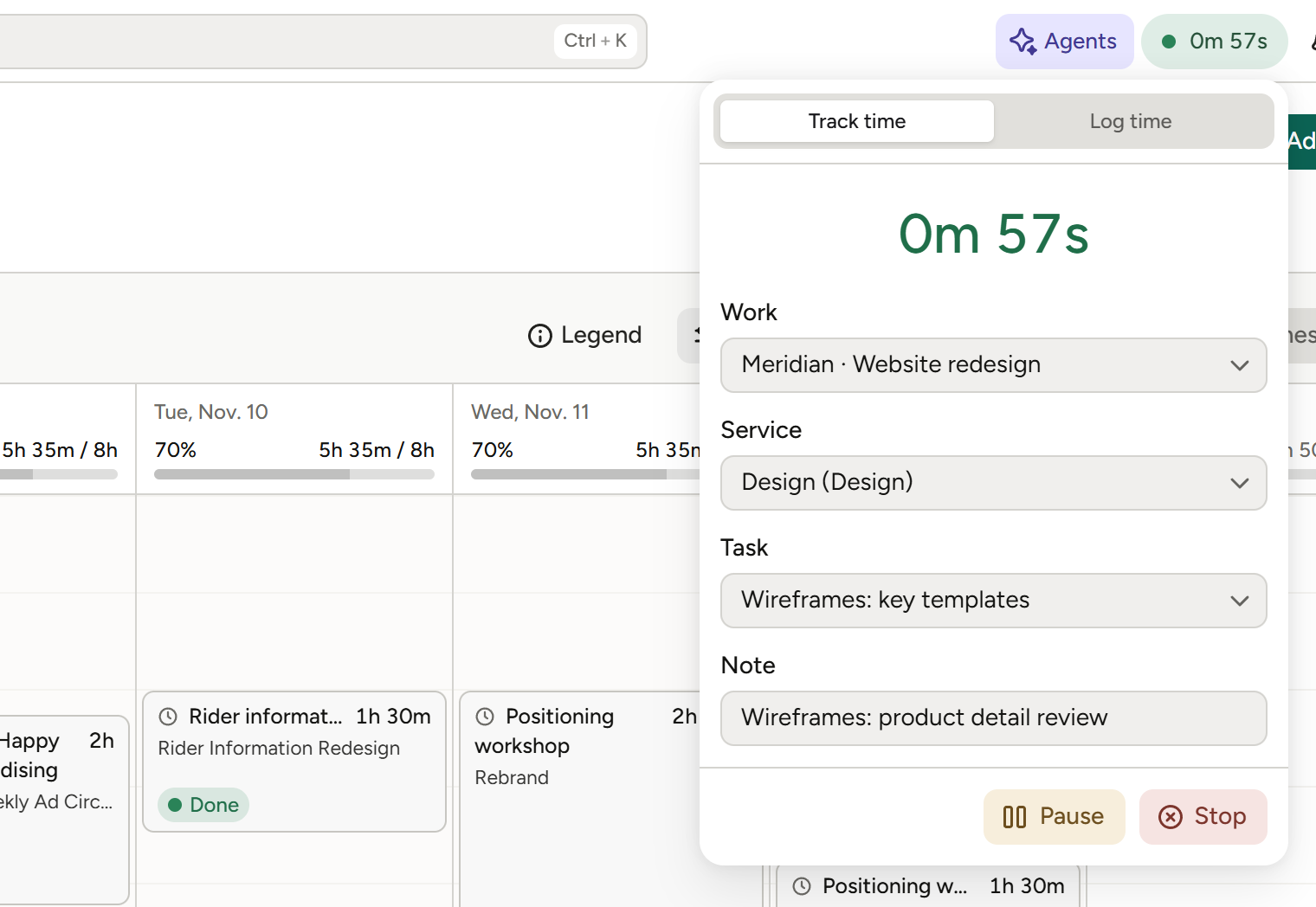
The timer lives in the header on every screen, with Resume, Log time and Stop beside it.
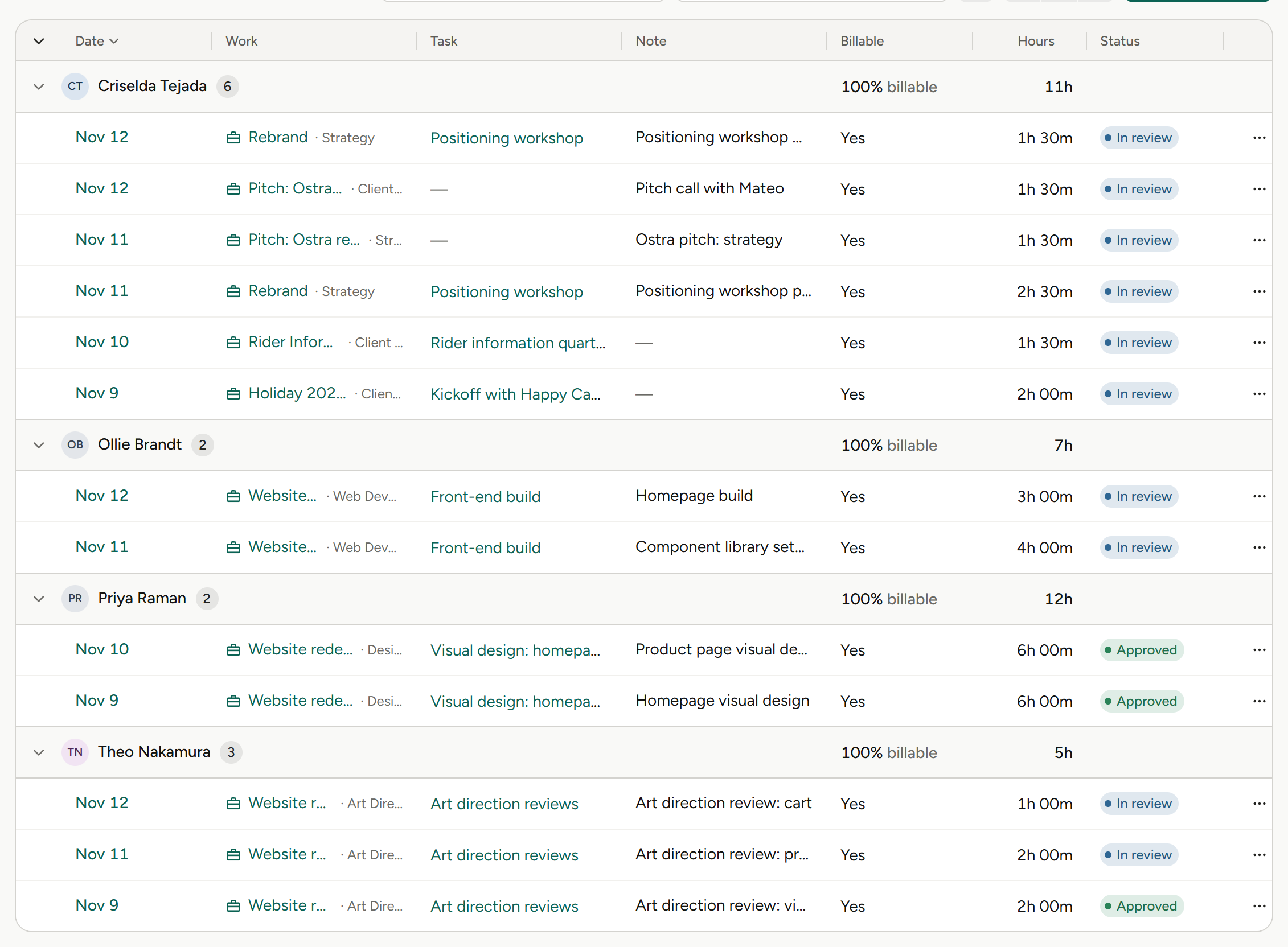
Unapproved time isn’t counted on the invoice worksheet.
Three ways to get time in.
A timer on every screen
Start it from anywhere in the app.
Drag it onto your day
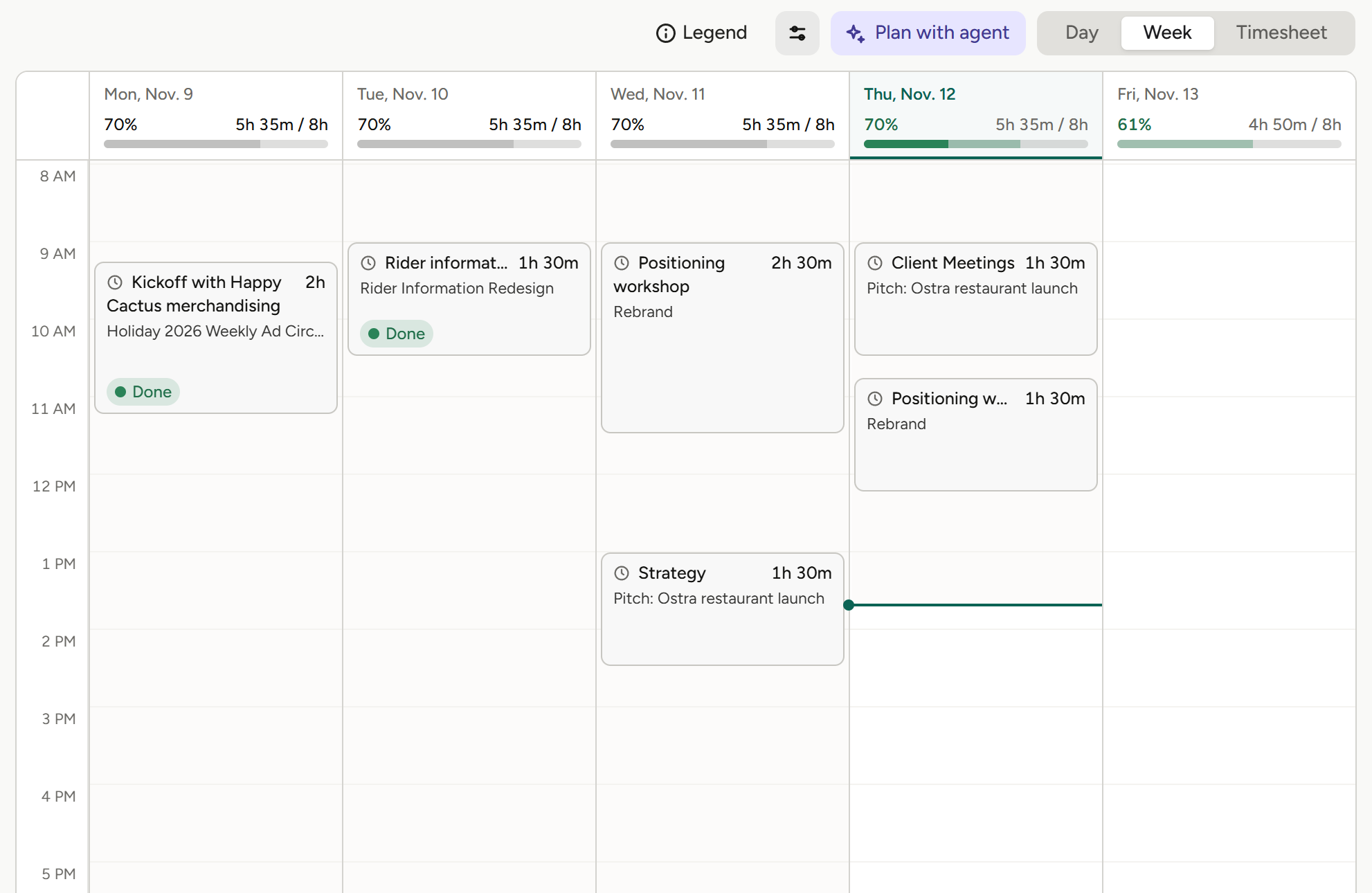
Drag on the timeline to create an entry, or click one to edit it.
Timesheets and approvals
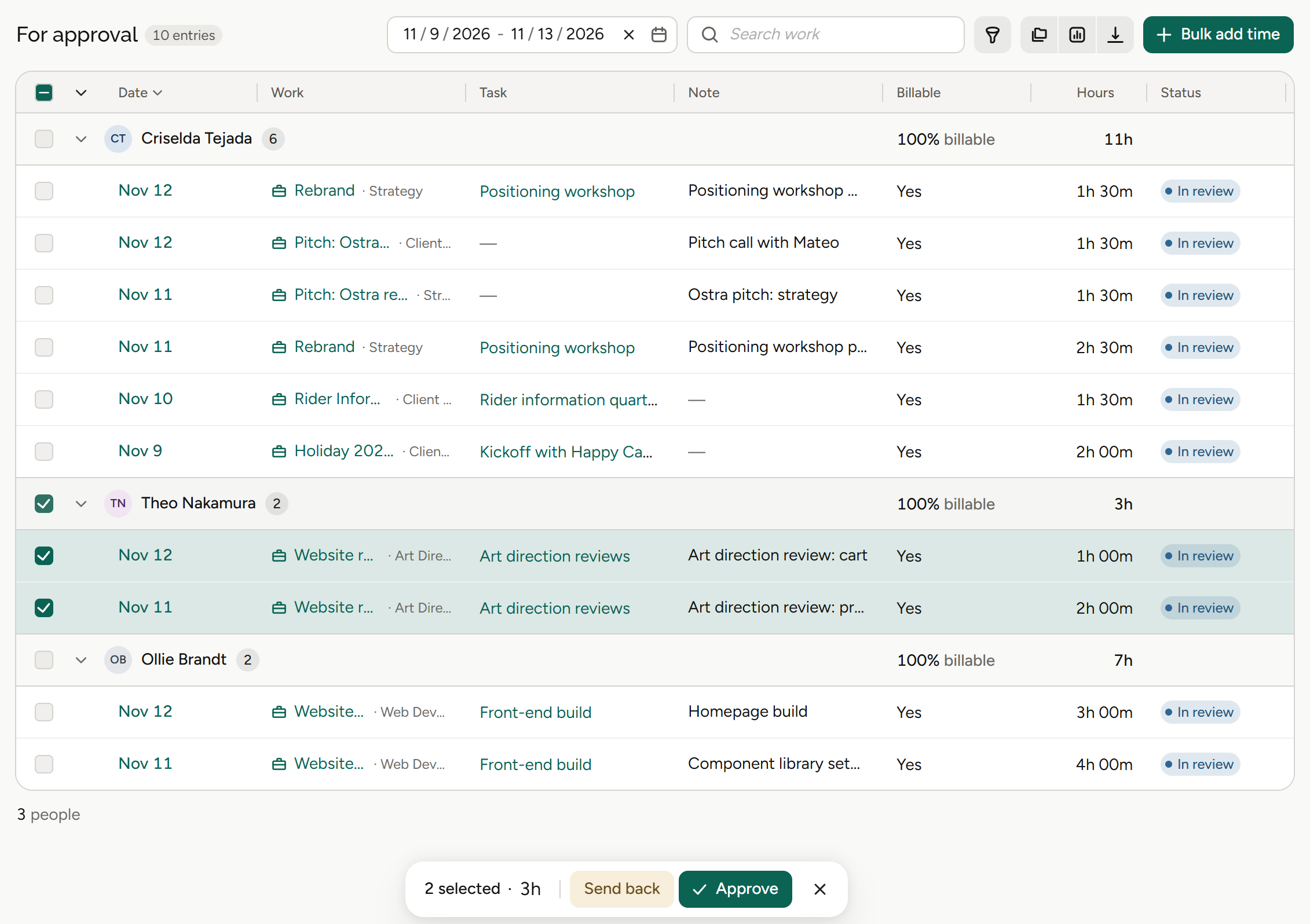
Time is approved before it reaches the invoice.
From the hour worked to the hour billed.
01
Track it as you go
Start the timer from any screen, or drag on the timeline to put time on your day. Click an entry to edit it. Today, this week and unallocated hours sit above the timeline.
Timer, calendar time tracking, unallocated hours.
02
Submit and approve
Timesheets go through approvals, and approvals waiting on you sit in the queue on your home page.
Timesheets and approvals, approvals queue.
03
Bill what was approved
Approved time lands on the invoice worksheet against its estimate. Unapproved time isn’t counted.
Approved time on the invoice worksheet.
More on invoicing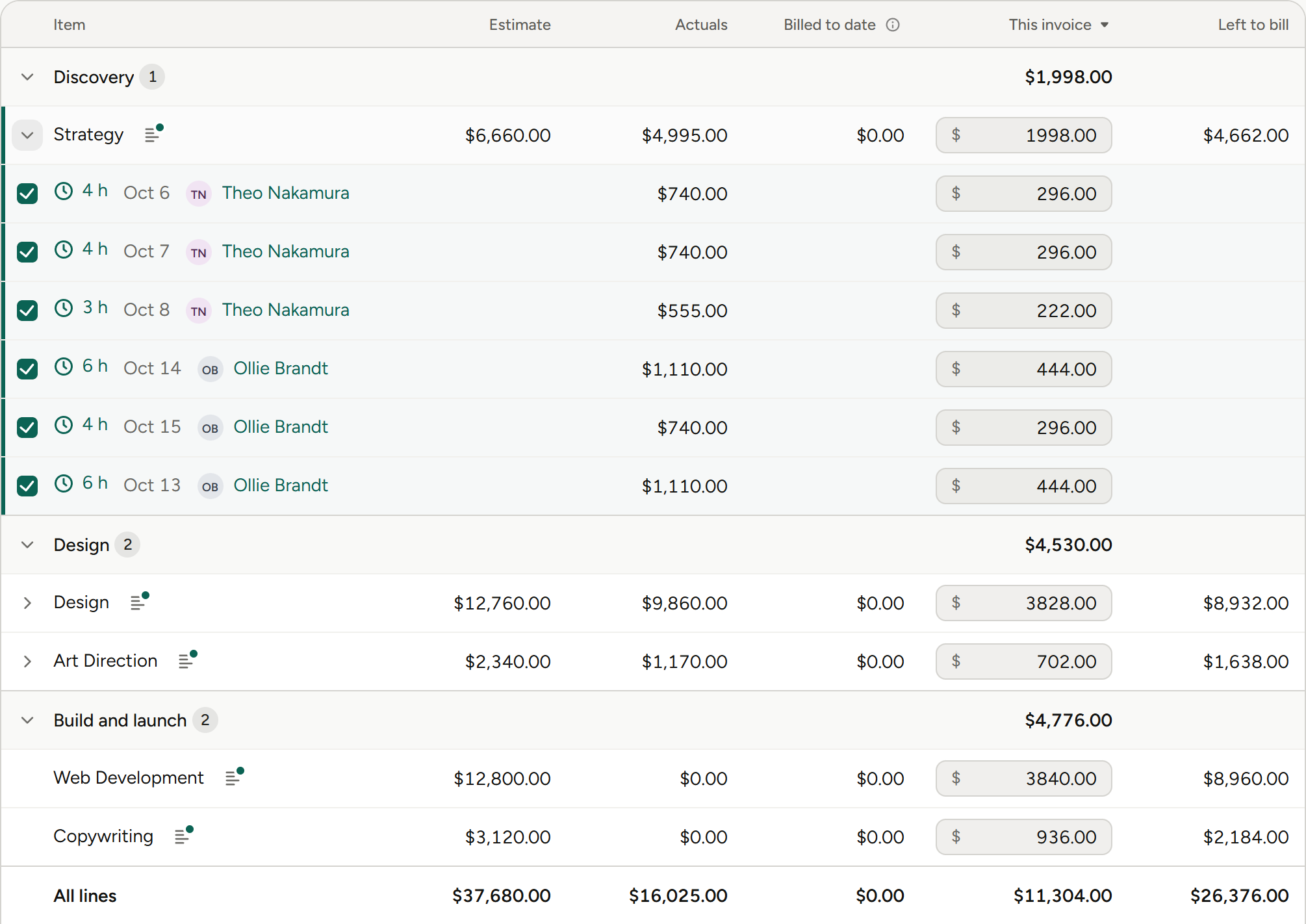
What time tracking means for your role.
Same hours, different questions. Pick yours.
Agency owners
“Is everyone’s time actually in?”
Owners see time logged as it happens, and approvals that keep it honest.
Approvals
Time is approved before it’s billed.
Profit by project
See which projects made money.
Your home page
Four metrics you choose, plus the approvals queue.
Capacity by person
Who is buried and who is free.
Finance and operations
“Can I bill this time yet?”
Finance teams bill approved time from the invoice worksheet, with unapproved time left out.
Approved time only
Unapproved time isn’t counted.
Invoice worksheet
Every line’s estimate against its actuals.
Timesheet approvals
Before time reaches the invoice.
Bulk invoicing
Bill many projects in one pass.
Account leads
“How much time has this client used?”
Account leads see time against each line of the estimate before it’s billed.
Estimate against actuals
Per line, on the worksheet.
Time on the project
Logged as it happens.
Retainers
Invoiced alongside project work.
Client balances
On the client record.
Project and traffic managers
“Who’s logged time on this job?”
Project managers get time in without chasing forms at the end of the week.
Timer on every screen
Start it from anywhere.
Drag onto the day
No form to fill in.
Unallocated hours
What still needs a home.
Approvals queue
On your home page.
Agents
Agents do the legwork. You make the call.
Frankly’s agents work inside the system and inside your permissions. They propose; you accept.
More on agentsProposes, then waits
An agent suggests the change. Nothing happens until you accept it.
Sees only what you see
Agents inherit your permissions. No elevated access, ever.
Works where the money is
Agents work with your projects, estimates and finances, all within each user’s permissions.
Also in Time tracking.
Getting time in, approved and billed.
Timer on every screen
Resume, Log time and Stop, from the header.
Calendar time tracking
Drag it onto your day, no form.
Click to edit
Change an entry on the timeline.
This week at a glance
Today, this week and entries.
Unallocated hours
What still needs a home.
Timesheets and approvals
Before time is billed.
Approvals queue
On your home page.
Approved time on invoices
Unapproved time isn’t counted.
The rest of Frankly.
Log it on the day. Bill it with confidence.
See time tracking on real agency work in a walkthrough.