
Dashboards
Your home page is where the work is.
Agency dashboard software that puts four metrics you choose, movable widgets, a calendar of every phase and deadline, a board of what’s moving and your approvals queue on one screen.
Pick a question. See where Frankly answers it.
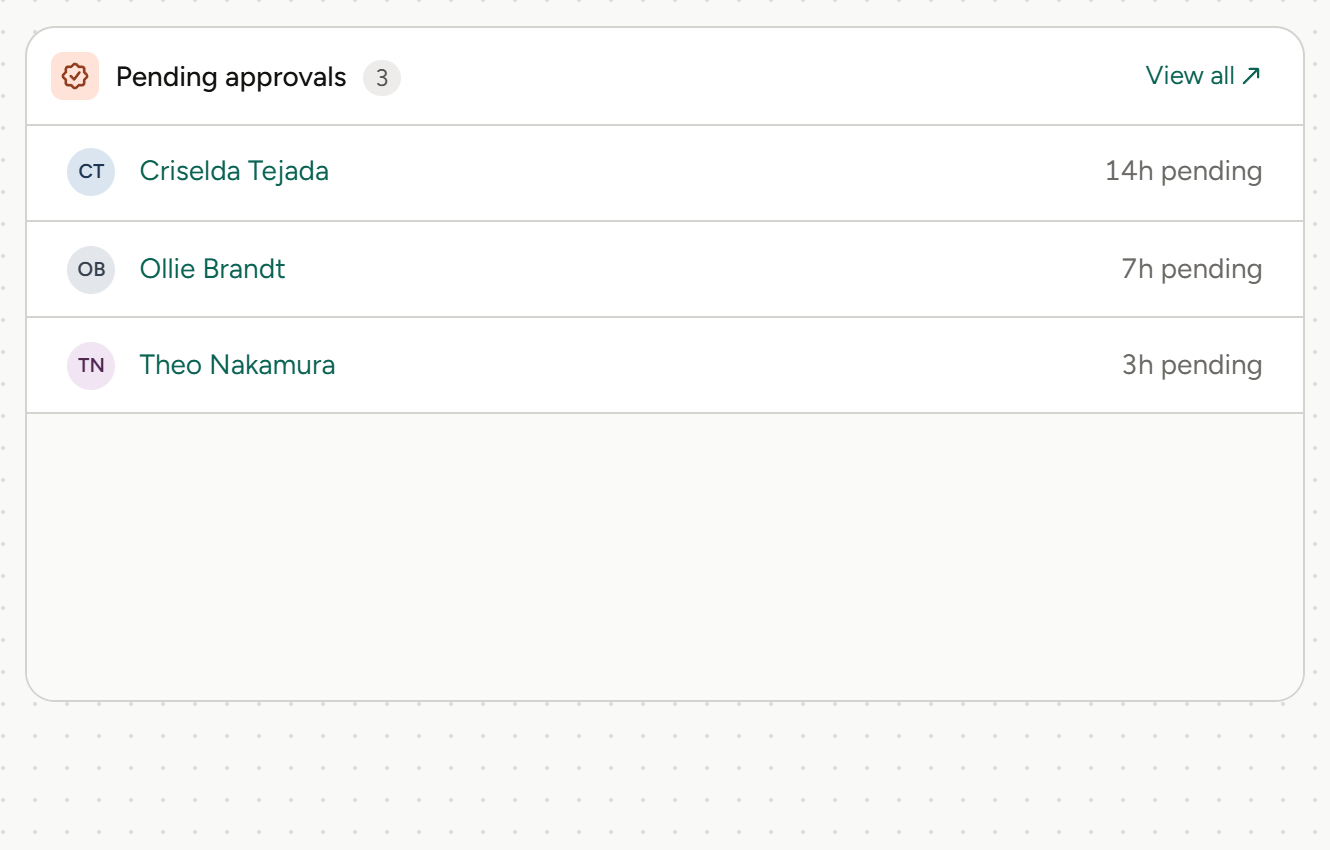
Time entries and time off waiting on you sit in your approvals queue.
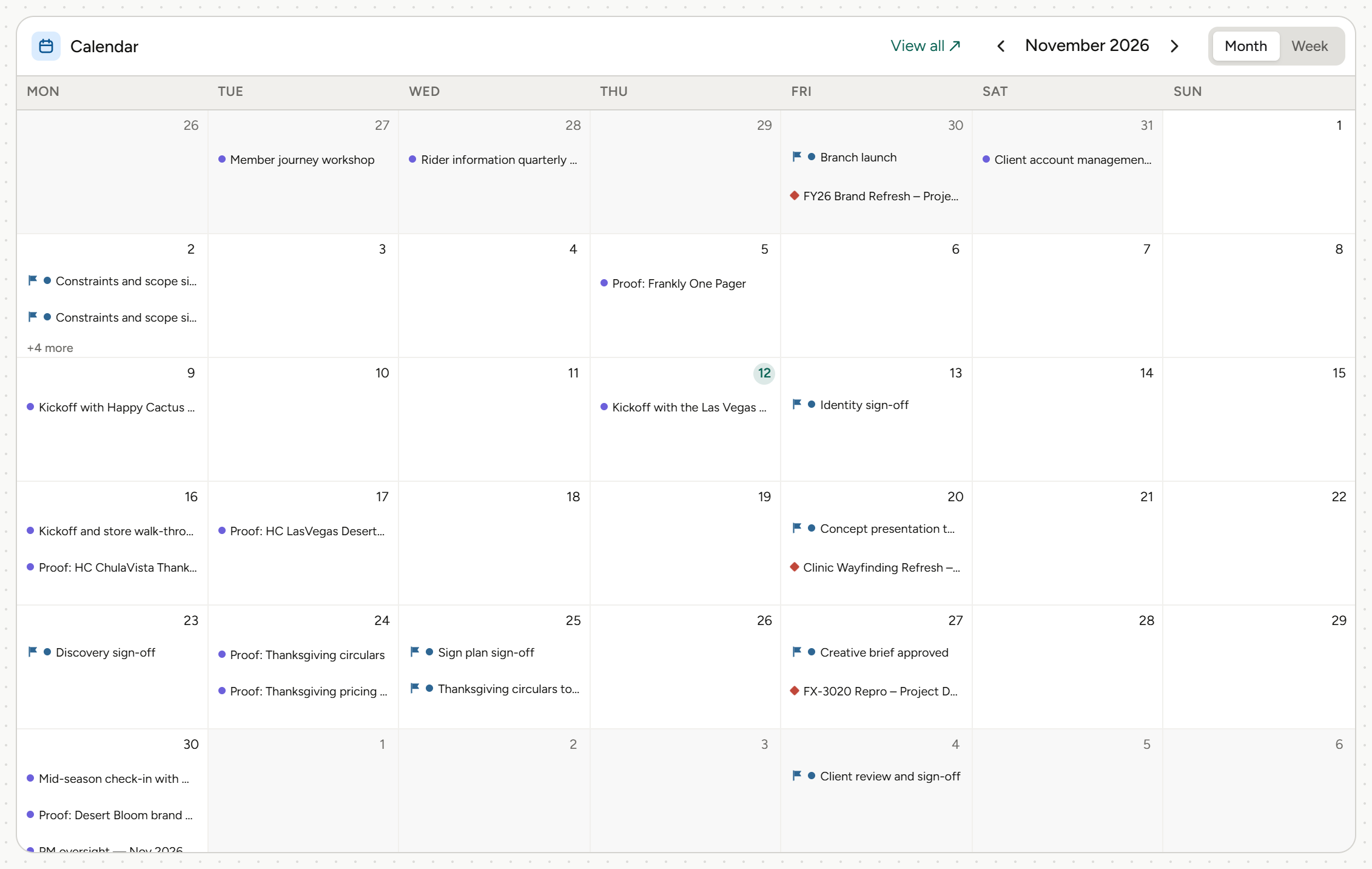
A calendar of every phase and deadline.
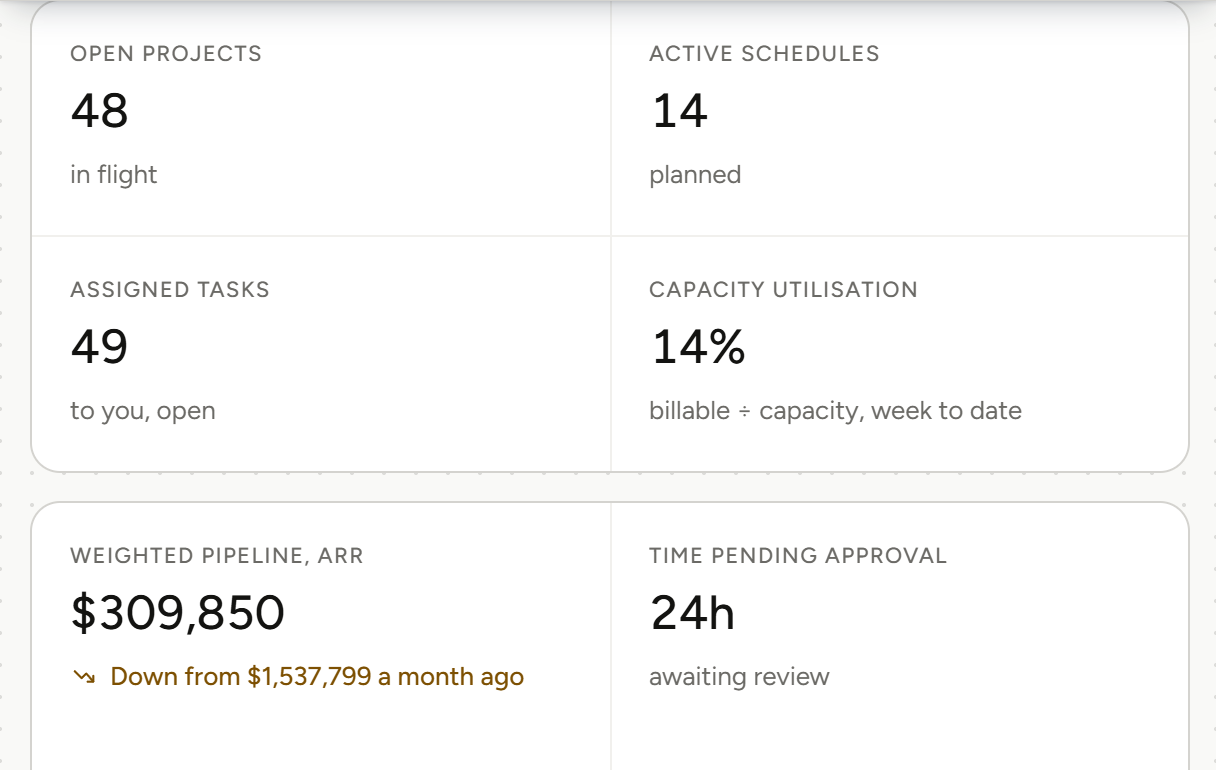
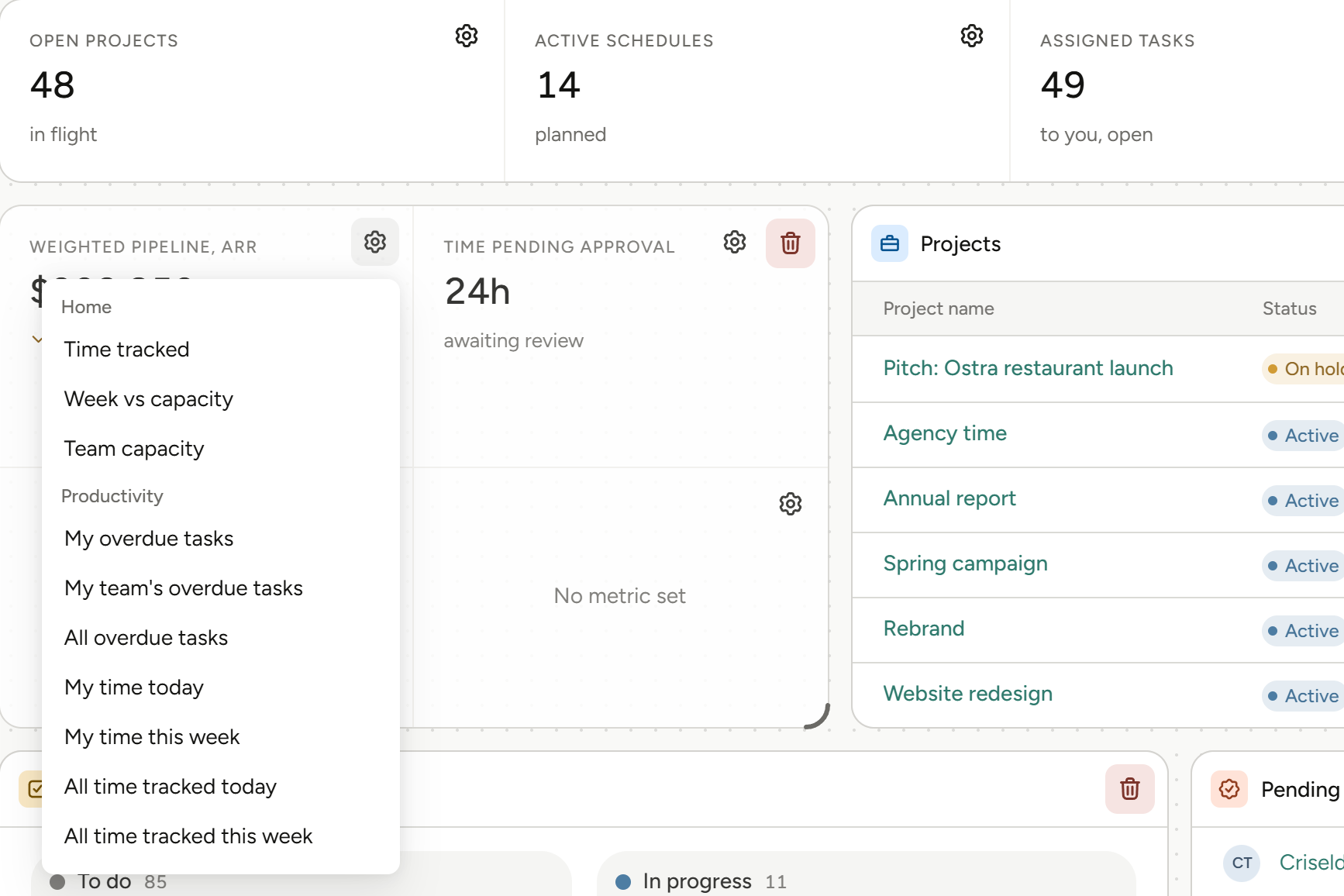
Pick four from a searchable list grouped by Work, Resourcing and Finance, with movable widgets below.
Everything you need, on one screen.
Four metrics you choose
Pick them from a searchable list grouped by Work, Resourcing and Finance.
A calendar of every deadline
Every phase and deadline, by day.
Your approvals queue
What’s waiting on you, in one place.
From login to what matters.
01
Pick your four
Choose the four metrics you care about from a searchable list grouped by Work, Resourcing and Finance, then move and resize the widgets below them.
Personal dashboard, four metrics you choose, movable widgets.
02
See what’s moving
A calendar of every phase and deadline sits next to a board of what’s moving, so the week ahead is on the page you land on.
Calendar of phases and deadlines, board of what’s moving.
More on project management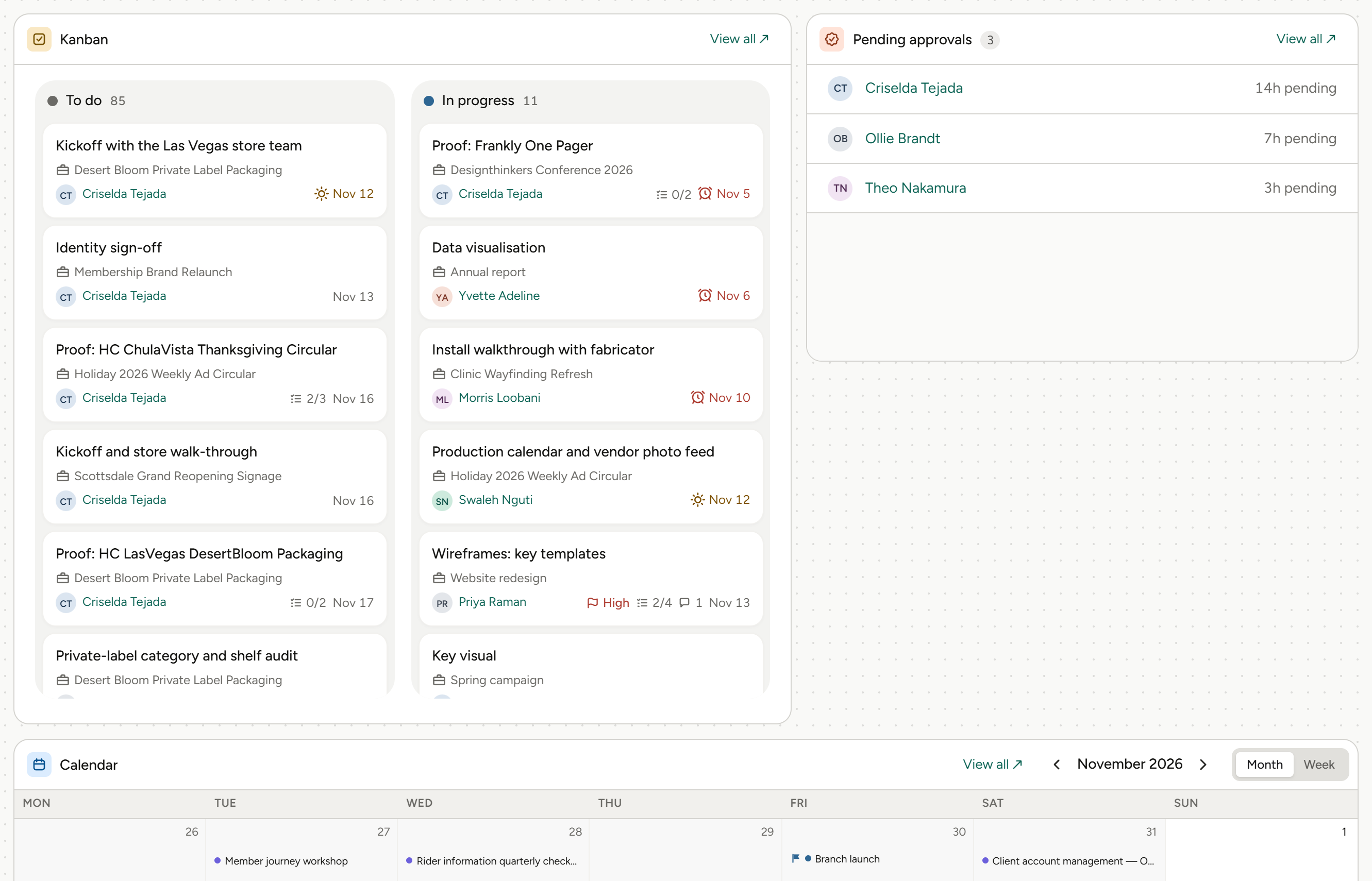
03
Clear your approvals
Time entries and time off waiting on you sit in a queue on your home page, so nothing waits because nobody saw it.
Approvals queue for time entries and time off.
More on time tracking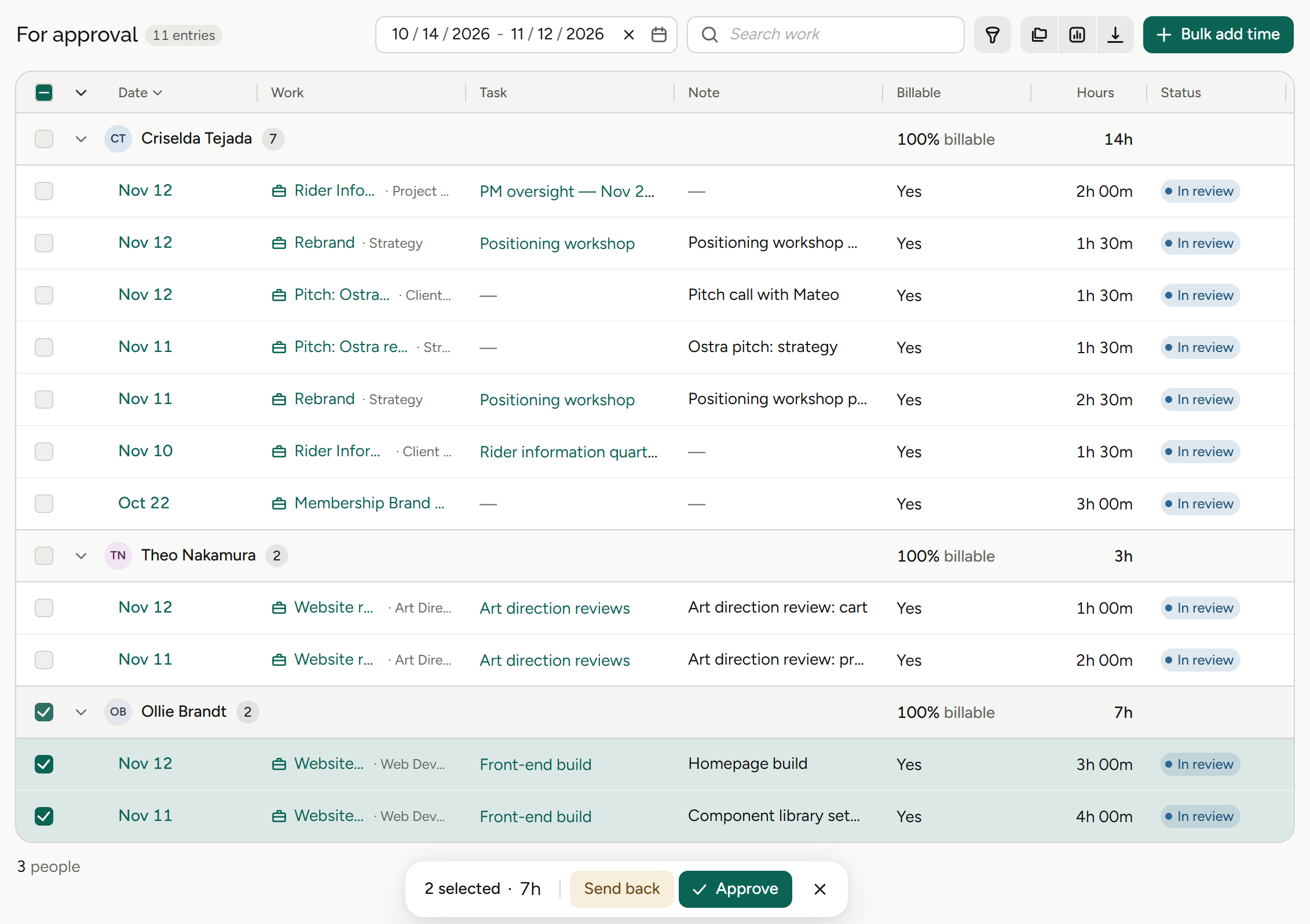
What the dashboard means for your role.
Same home page, different four. Pick yours.
Agency owners
“How is the agency doing today?”
Owners pick the four numbers they check first and see them every time they log in.
Four metrics you choose
Work, Resourcing and Finance.
Finance metrics
On the page you land on.
Approvals queue
What’s waiting on you.
Reporting
Go deeper when you need to.
Finance and operations
“What’s waiting on me?”
Finance teams see the finance metrics they care about every time they log in.
Movable widgets
On your home page.
Finance metrics
Pick the ones that matter.
Widgets you arrange
Move, resize, add or remove.
Scheduled reports
Delivered on a schedule.
Account leads
“What’s due for my clients?”
Account leads see every phase and deadline coming up, next to what’s moving.
Calendar of deadlines
Every phase, by day.
Board of what’s moving
At a glance.
Four metrics you choose
The numbers you check first.
Client balances
On the client record.
Project and traffic managers
“What’s moving this week?”
Project managers land on the week ahead instead of a report about it.
Board of what’s moving
Work in motion.
Calendar
Phases and deadlines.
Resourcing metrics
Pick the ones you watch.
Time approvals
In the queue.
Agents
Agents do the legwork. You make the call.
Frankly’s agents work inside the system and inside your permissions. They propose; you accept.
More on agentsProposes, then waits
An agent suggests the change. Nothing happens until you accept it.
Sees only what you see
Agents inherit your permissions. No elevated access, ever.
Works where the money is
Agents work with your projects, estimates and finances, all within each user’s permissions.
Also in Dashboards.
The page you land on every morning.
Four metrics you choose
From a searchable list.
Work, Resourcing and Finance
Metrics grouped the way agencies run.
Calendar of phases and deadlines
The week ahead, by day.
Board of what’s moving
Work in motion, at a glance.
Approvals queue
Time entries and time off waiting on you.
One screen
No assembly.
The rest of Frankly.
Start the day where the work is.
See the Frankly home page on real agency work in a walkthrough.